5 Ideas to Refresh Your Home Office in 2026
There is a specific kind of tiredness that has nothing to do with posture or sleep. It is the tiredness of sitting down at the same desk for the four hundredth Monday in a row. The chair is fine. The monitor height is fine. Nothing is broken. And yet the room has quietly drained of energy. Coffee tastes the same, the light from the window hits the same wall, the cables under the desk look like they were arranged by a different person three years ago, which they were. This guide is for that desk.
A refresh is not a renovation. It does not require a new chair, a new monitor, or a new room. It requires five small, deliberate changes that together shift the feeling of the workspace from familiar to cared for. The math is unexpectedly favorable. Most refreshes can be done in an afternoon for under a hundred and fifty dollars, and the difference is noticeable from the first morning you sit down afterwards. Below are the five ideas that consistently produce the biggest emotional reset per hour spent, in the order we recommend applying them.
This article is the refresh spoke in our 2026 desk series. For the systemic, foundational upgrade — screen height, chair, keyboard, the works — read our pillar guide on ergonomic desk setup. For a wider, ten-step upgrade path, see the top 10 ways to improve your home office. And for a deeper dive into the wooden pieces referenced below, see our roundup of the 5 best wood desk accessories for 2026.
Why a refresh beats a renovation for most home offices
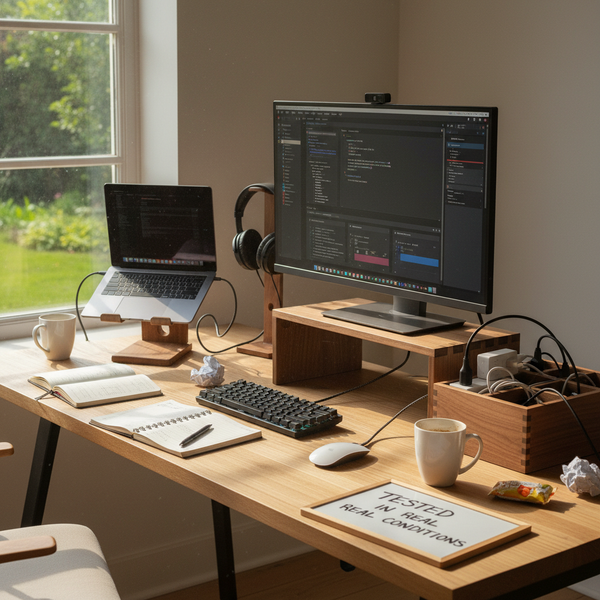
Home-office renovations are emotionally satisfying and economically terrible. A new desk, a new chair, a new monitor arm, a paint job, and a rug can run two thousand dollars and three weekends, and the gain — measured honestly six months later — is rarely larger than what a refresh would have produced. The reason is that what makes a desk feel stale is almost never the desk. It is the accretion of small unnoticed choices: the dead post-it from October, the cable that used to go to a device you no longer own, the lamp aimed at the wrong wall, the plant that died in March and was replaced by an empty pot.
A refresh attacks these specific things. It does not ask you to commit to a new layout or a new color scheme. It asks you to subtract, swap, and re-cue. The five ideas below are listed in the order most people should apply them — the first is free, the next two are cheap upgrades, the last two are habits. Done together, they move a desk from background object to instrument. Done one at a time over five weekends, they cost almost nothing in any single moment.
The five refresh ideas
These five ideas are listed in order of effort, lowest first. You do not have to do them all in one weekend; you can spread them over a month. But do not skip the first. The surface reset is what makes every other change visible.
1. Reset the surface — thirty minutes, no purchases
The first idea is the cheapest and the one most people skip because it sounds too modest to matter. Clear the desk completely. Every object goes onto the floor, onto a tray, onto the bed in the next room — anywhere except the desk. Wipe the surface with a damp cloth. Let it dry. Then, instead of putting everything back, put back only what you used in the last seven working days. The mug, the keyboard, the mouse, the notebook, the pen. That is it. Everything else goes into a drawer for a month.
What you will notice within the first hour of working at the reset desk is that the room feels larger. This is not an illusion. Visual clutter is a quiet cognitive tax — each object on the desk takes a small amount of attention, and a surface with twelve objects on it leaks attention twelve times. Reducing that number to four or five changes how the room feels when you walk into it on Monday morning. After a month, the items in the drawer come out one at a time, only if you actually missed them. Most do not come back. The thirty minutes you spent on this is the highest return-on-effort move in the entire refresh; do it before you spend a dollar on anything else.
2. Swap one piece of plastic for solid walnut
The second idea is the only one that costs real money, and it is the one most people are surprised by. A single material swap — replacing a plastic monitor stand, plastic laptop stand, or plastic cord tray with the same object made in solid walnut — changes the feel of the desk more than any other purchase under a hundred dollars. The functional gain is real (wood absorbs typing vibration, plastic resonates with it) but the emotional gain is what makes this a refresh idea rather than a productivity tip. Wood is a living surface. Plastic is not.
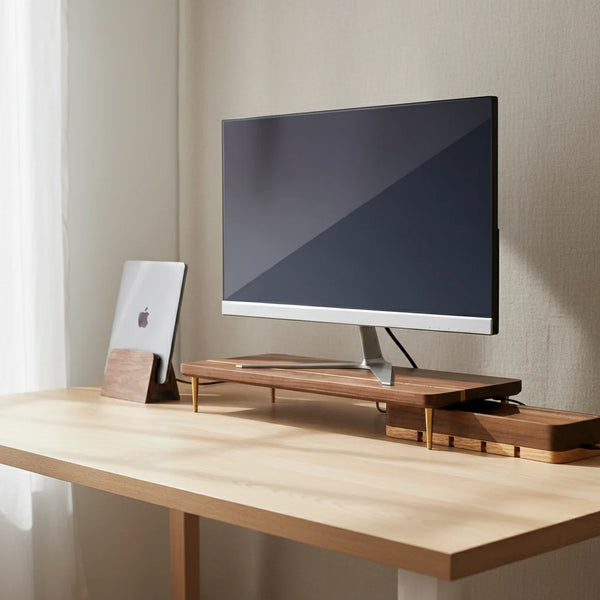
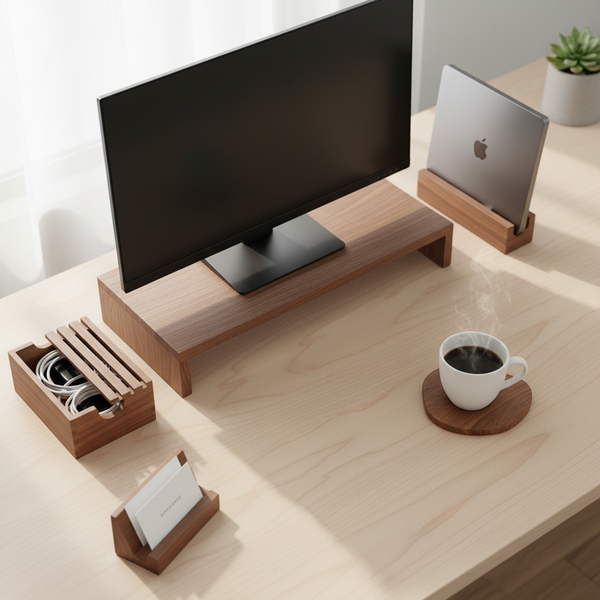
You do not need to swap everything at once. Pick the one piece of plastic that bothers you most. For most people that is the monitor stand — a wobbly $12 plastic riser holding a $400 display is the most jarring visual mismatch on a typical desk. A walnut splicing-wood monitor stand at $89 lifts the screen by the same six centimeters but ages with the room instead of yellowing in the sun. If your desk is laptop-only, the swap is a vertical laptop stand at $67 — same footprint as a plastic version, completely different presence on the desk. If the visible cable trough is the worst offender, a walnut USB cord organizer box at $46 hides the power strip and the cable mess in one closed object. Three months later, the rest of the plastic will start to look out of place. That is fine; replace them one at a time.
3. Change the light recipe — warmer bulb, repositioned task lamp
The third idea is the lighting change, and it is the one that most home-office advice gets backwards. The default home-office lighting is one overhead fixture, often with a daylight-balanced 4000K to 6500K bulb chosen for brightness. That spec is correct for a workshop and wrong for a desk. The light a person feels good sitting under for eight hours is warm (2700K to 3000K), not cold, and it comes from beside the screen, not above it. Most refreshes can be made dramatically more pleasant by changing two things: the bulb in the task lamp, and where the task lamp sits.
For the bulb, switch to a warm-white LED in the 2700K to 3000K range, 400 to 500 lumens, dimmable if your fixture supports it. For position, place the lamp on the keyboard side of the desk — your dominant hand side — and aim it at the keyboard and notebook surface, not at the screen. Glare on the screen is a productivity killer; a pool of warm light on the notebook is a productivity gift. If the room's overhead light reflects on the screen, switch it off during work hours and rely on the task lamp plus the window. By 4 pm in winter you will feel the difference. Total project cost: $8 for a bulb, $0 if you are already willing to move the lamp.
4. Add exactly one plant and exactly one personal object
The fourth idea borrows from rule three of the ten home-office improvements but matters even more in a refresh context, because refreshes tend to add things back unconsciously. The constraint that makes this idea work is the word exactly. Exactly one plant. Exactly one personal object. Not two, not three. Two photos compete for attention; one photo holds it. Two plants need maintenance; one plant gets remembered.
For the plant, pick a species that survives a missed watering and low light — a pothos, a snake plant, a ZZ plant. Place it where it does not compete with the work surface (corner of the desk, windowsill, shelf above the screen). It earns its keep visually during the 20-second 20-foot eye break that the ergonomic literature recommends, and it adds a small amount of humidity, which helps with the dry-eye feeling that screens produce. For the personal object, pick the one thing that — if it disappeared tomorrow — you would actually miss. A photo of a person who matters. A small ceramic piece a friend made. A memento from a trip. Place it in your peripheral vision while working, not in front of the screen. Everything else that was on the desk before stays in the drawer from idea #1. The constraint of one is what gives each object its weight.
5. Define a new start-of-work and end-of-work ritual
The fifth and last idea is the one without a price tag, and the one that has the longest tail. The home-office productivity literature consistently identifies one factor that matters more than the lamp or the chair or the cable box: the ability to start and stop work cleanly. A desk that feels refreshed but is used without a transition into and out of it will feel tired again within a month. The refresh sticks when you change how you arrive at and leave the desk.
Pick one start-of-work signal and one end-of-work signal. The start can be a specific playlist played while making coffee, a five-minute walk around the block before sitting down, a paper to-do list written for the day in the same notebook every morning. The end can be a final five-minute clean — push the mouse back, put away the notebook, drop the laptop into a vertical stand — followed by switching off the task lamp. The exact ritual matters less than its repeatability. Use the same two every workday for two weeks; the brain learns the pattern. By the third week, sitting down at the desk feels like starting work, and standing up from it feels like ending work, in a way no amount of decoration alone can produce.
Walnut accessories worth keeping on a refreshed home office
These five pieces from our desk accessories collection are the ones referenced most often in the five ideas above. None of them needs to be bought in a single trip.


Comparison table
| Accessory | Price | Which refresh idea | Best for |
|---|---|---|---|
| Walnut Monitor Stand | $89.00 | #2 — Swap one piece of plastic | External 24–32 in display |
| Vertical Laptop Stand | $67.00 | #5 — Define an end-of-work ritual | Laptop user with a clamshell setup |
| Cord Organizer Box | $46.00 | #1 — Reset the surface | Power strip + USB hub visible |
| Additional Riser Leg | $12.50 | #2 — Add 4 cm if still too low | Tall users (6 ft +) |
| Business Card Holder | $24.00 | #2 — Replace a piece of plastic | Anyone giving cards weekly |
Decision matrix — pick one if you only refresh one thing
A full refresh of all five ideas takes a long weekend. If you only have a Saturday afternoon, this matrix tells you which idea moves the needle most for your current pain point.
| If you walk into your home office and feel… | Start with |
|---|---|
| Overwhelmed by stuff | Idea #1 — Reset the surface |
| Tired of looking at cheap plastic | Idea #2 — Swap one piece for walnut |
| Cold, harsh, or glaring lighting | Idea #3 — Change the bulb and move the lamp |
| Like the room belongs to no one | Idea #4 — Add one plant + one personal object |
| Like work follows you to bed | Idea #5 — Define a closing ritual |
Common mistakes when refreshing a home office
Three patterns show up almost every time someone refreshes a workspace and then quietly slides back to the original tired version within a few months.
Adding without subtracting. The temptation in a refresh is to buy something new. The temptation is wrong. Every new object on the desk takes attention from every other object. If you buy a new lamp, decide what comes off the desk. If you add a plant, remove a knickknack. The desk holds a fixed amount of attention; what's on it should earn that attention. The drawer from idea #1 is your friend.
Confusing a refresh with a renovation. Refreshes that turn into renovations rarely finish. The moment a refresh becomes "I'll also paint the wall" or "while I'm at it, let's replace the chair", the project gains weight, drifts past the weekend, and lands six months later as an unfinished half-job. Cap the refresh at five ideas, five hundred dollars, and one weekend. If the deeper renovation is genuinely needed, schedule it as a separate project a month later.
Skipping the surface reset. People love to skip idea #1 and go straight to buying the walnut accessory. The walnut accessory placed on top of three years of accumulated mess looks worse than the plastic accessory it replaced. The order matters. Clear the desk first; then the upgrade lands.
FAQ — refreshing your home office
1 — How do I refresh my home office on a small budget? Do idea #1 (free), idea #3 (an $8 warm bulb), and idea #5 (free). That covers three of the five ideas, costs under $10, and produces 60% of the emotional reset of a full refresh. Add idea #2 — one walnut swap — when budget allows. A walnut cord organizer box at $46 is the cheapest entry point into the material change.
2 — How often should I refresh my home office? Once a year is reasonable for the full five-idea refresh. The surface reset (idea #1) and the lighting check (idea #3) can be done quarterly with minimal effort. The ritual (idea #5) should not need to be refreshed — it should stick.
3 — What is the single biggest change that makes a home office feel new? For most desks, swapping a plastic monitor stand or laptop stand for a walnut equivalent. The visual mismatch of expensive electronics on cheap plastic is the loudest single signal of a stale setup; removing it changes how the room reads in one swap.
4 — Should I rearrange the desk layout during a refresh? Usually no. Layout changes are tempting but rarely durable — after a week, the desk drifts back to what was ergonomically convenient. Spend the energy on subtracting and swapping, not rearranging. The exception is the lamp: idea #3 specifically asks you to reposition it to the keyboard side, because the wrong lamp position is one of the few layout choices that actually wears you out.
5 — How do I refresh a small home office without it feeling more cluttered? Compress vertically. A vertical laptop stand takes a 30×20 cm desk footprint down to 12×12 cm. A cord organizer box makes the back edge of the desk read as one clean line instead of a tangle. The first three ideas matter more in small spaces than in large ones; the constraint of "exactly one plant, exactly one personal object" is also where compact desks gain the most.
6 — What plants are best for a home office? Pick a species that survives a missed watering and low light: pothos, snake plant, ZZ plant. All three handle the dry indoor air of a heated or air-conditioned home office and bounce back if you forget them for a week. Avoid fussier species (ferns, calathea) for a first home-office plant — they will be sad by month two and add a low-grade guilt to your workspace.
7 — Should I replace the lamp during a refresh? Often no. Most refreshes succeed by changing the bulb (warm white, 2700K–3000K, 400–500 lumens) and the position (keyboard side, aimed at the notebook, not the screen). The lamp itself is usually fine. If the lamp is genuinely broken or cannot accept a warm bulb, replace it — otherwise, save the money for an idea #2 walnut swap.
8 — Is it worth buying expensive desk accessories if my desk itself is cheap? Yes, in a counterintuitive way. The desk surface is something the eye stops noticing within a week. The objects on it are what the eye looks at every minute. A $200 IKEA desk with three walnut accessories looks intentional; a $1,500 hardwood desk with three plastic accessories looks neglected. Spend on the visible items first; replace the desk only if it is structurally bad.
9 — How do I keep a refreshed home office from getting tired again? The five-minute end-of-day cleanup, every workday. Idea #5's ritual is what makes the rest of the refresh stick. Without a closing routine, the desk accumulates one object per week, and within two months it is back where it started. A vertical laptop stand helps — closing the laptop into it physically marks the end of the day in a way that closing browser tabs does not.
10 — Are wooden accessories actually better than plastic for a home office? For desk accessories, yes — for two reasons. They absorb keyboard vibration (less acoustic fatigue) and they age better (patina instead of scuff marks). Functionally a plastic monitor stand lifts a screen the same number of centimeters. Aesthetically and acoustically, the wood wins over a multi-year horizon. Browse the desk accessories collection for the pieces referenced throughout this guide.
11 — Can a home-office refresh actually improve productivity, or is it just decoration? Both, and the line between them is thinner than people think. A desk that visually reads as cared for produces a small daily lift in the willingness to sit down at it. A desk that reads as a graveyard of plastic and old cables produces a small daily drag. Over a year, the difference compounds into hours of avoided work versus hours of comfortable work. The refresh is the cheapest productivity intervention most home-office workers can make.
Related guides
This article is part of the CraftKitties 2026 desk series. The pillar guide and two companion spokes go deeper on adjacent topics.
- The Importance of an Ergonomic Desk Setup in 2026 — pillar reference for the ergonomic principles touched on above.
- Top 10 Ways to Improve Your Home Office in 2026 — the systemic ten-step upgrade path, for desks that need more than a refresh.
- The 5 Best Wood Desk Accessories for 2026 — closer look at the walnut pieces mentioned in idea #2.
Closing — start with the surface, this weekend
The five ideas above are ordered by effort, lowest first. You do not have to do them all this weekend. Pick the surface reset (idea #1) and do it on Saturday morning before you spend anything. The room will already feel different by Sunday. Then choose your one walnut swap, change the bulb, plant the pothos, and write down the closing ritual. By the second Monday, the desk you sit at will feel like a room that someone — you — cared enough about to bring back to life.