You can work efficiently from home, but only after you stop expecting the home itself to do the work for you. The difference between a remote workday that produces three hours of finished output and one that produces eight has almost nothing to do with willpower, and almost everything to do with five quiet levers — the corner you sit in, the calendar you defend, the screen you look at, the body you sit with, and the rituals that bookend the day. None of them require new software. Most of them cost less than the lunch you would have bought at the office.
This guide is about pulling those five levers in the right order. The home office that produces real output is not the one with the most monitors or the most productivity apps — it is the one where almost no friction stands between sitting down and being in the middle of the work. That state is reachable. It just takes treating efficiency as a layered design problem rather than a discipline problem, which is what most remote-work advice gets backwards from the first sentence.
This article is one of the spokes in our 2026 desk series, sitting alongside the pillar guide on ergonomic desk setup. For the systemic ergonomic foundation — screen height, chair geometry, keyboard plane, lighting principles — read that pillar first. This guide layers the throughput, calendar, and ritual decisions on top of that foundation. For the emotional and design layer of the same room, the companion piece on how to set up a home office you love is the natural follow-up.
Why working efficiently from home still matters in 2026
Roughly forty percent of US knowledge workers are now permanently hybrid or fully remote, according to Stanford's WFH Research tracker. The aggregate picture is mixed: some studies show remote workers slightly more productive than their office counterparts, others show the opposite, and the consensus is now that the variance within remote workers is much larger than the gap between remote and office averages. In other words, working from home is not inherently efficient or inefficient. The home office decides.
A home office that produces well does three concrete things. First, it shortens the time between sitting down and being deep in the work — often called the activation tax, usually invisible, often the single biggest leak in a remote day. Second, it absorbs the small attention drains — visible clutter, the wrong screen height, the tangle of cables behind the laptop — that quietly cost an hour of focus by Wednesday afternoon. Third, it makes the end of the workday a real event, not a slow fade, which is what protects the next day's output. Those three effects compound. By the second month of consistent practice, the same person produces noticeably more in the same hours, without working longer.
The five levers of an efficient home workday
A home office that produces is built in layers, each one resting on the one below. You can pull these levers out of order — most people do — but the result is more expensive and less satisfying than building in sequence. The five levers below are the ones that consistently produce the largest throughput gain per dollar and per hour spent. Apply them in this order.
1. The corner — physical setup that removes decision drag
The first lever is the physical desk, and its job is not aesthetic. Its job is to remove the small decisions that quietly tax the start of every workday. A desk where the keyboard sits at the wrong height costs ten seconds of adjustment every morning; a screen that is three centimeters too low costs a posture-correction every quarter hour; a cable lying across the surface costs a glance every time the mouse moves past it. None of these costs is large in isolation. All of them recur dozens of times a day, and together they produce the feeling that the morning takes forever to start, which is what most "I can't focus" remote complaints actually describe.
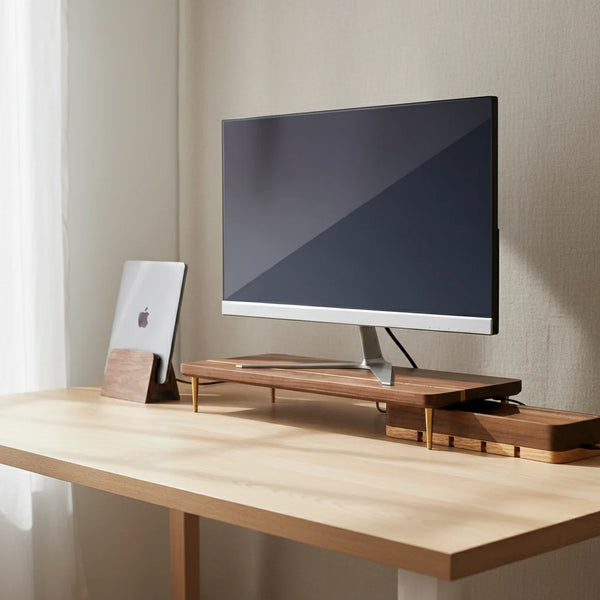
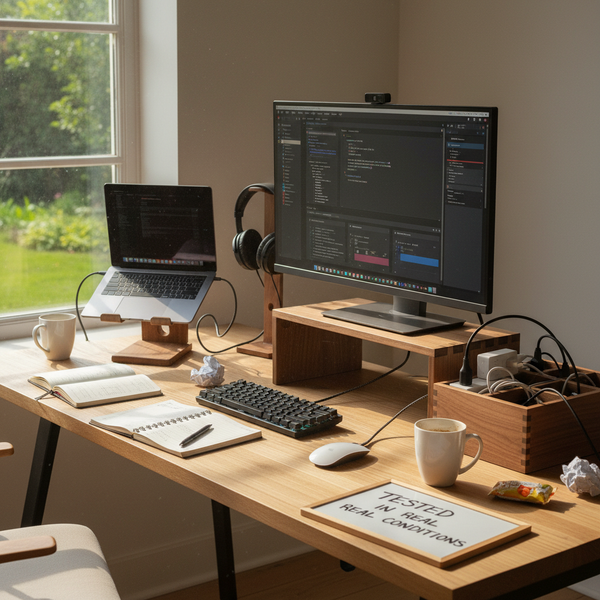
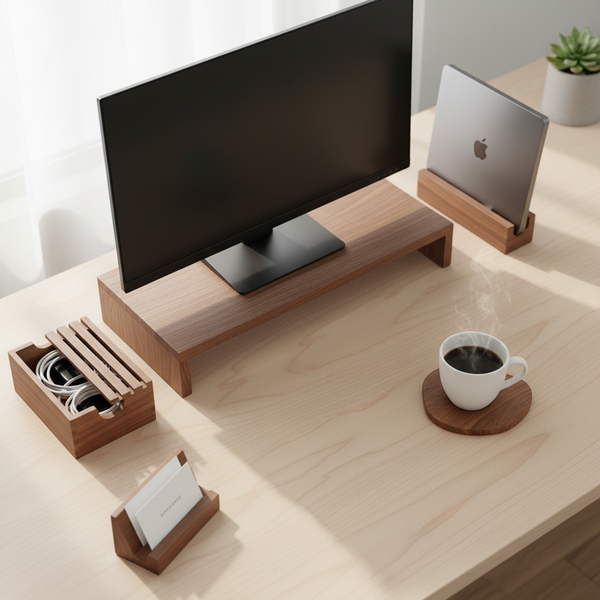
The fix is to lock the physical setup once and then never decide about it again. A walnut splicing-wood monitor stand lifts the screen to eye level so you stop adjusting your neck. A vertical laptop stand holds the laptop closed in clamshell mode so the surface has one screen instead of two competing for your eyes. A cord organizer box makes the back edge of the desk read as a single clean line so the eye stops registering it as a small problem to solve. Pull this lever once. The decision drag never comes back.
2. The calendar — defended deep-work windows
The second lever is the calendar, and the rule is defend, do not optimize. Most home-office productivity advice tries to optimize the calendar with new apps, color-coded categories, time-blocking systems, or quarterly reviews. The high-leverage move is much simpler: identify the two-hour window each weekday when your focus is at its strongest — for most people, that is 8:30 to 10:30 in the morning — and declare it untouchable. No meetings, no Slack, no email. The cost of saying no to meetings in that window is almost always lower than the team thinks; the gain in finished work in that window is almost always higher than the same person thinks.
A second window of one to two hours in the afternoon, ideally just after lunch, doubles the daily output if it can be defended. Beyond that, the rest of the day is for collaboration, communication, and the small-task tail. The mistake remote workers make is to spread meetings evenly across the day, which prevents any block from being long enough to enter deep work. The fix is to cluster meetings into a two- to three-hour band — typically 11 am to 2 pm — and protect the rest. Send the proposal once; once the team sees the output going up, the calendar self-regulates.
3. The screen, the keyboard, and the notification posture
The third lever is what is in front of your eyes during the deep-work windows. The default home-office setup — a laptop plus an external monitor with notifications enabled on both — is built for collaboration, not for focus. The single most efficient configuration is one screen at eye level, the laptop closed in a vertical stand to remove the second screen, and notifications disabled on the operating system, the browser, and the phone, which sits in a different room. This sounds extreme; it is the setup of every remote engineer who consistently ships, and it is reversible in thirty seconds for the meeting band.
The compressed ergonomic version of the keyboard rule is in the ergonomic desk setup pillar, but for productivity specifically the rule is neutral wrists, no leaning. A laptop placed directly on a desk forces a forward head tilt that costs about six minutes of focus per hour to micro-adjust; you do not notice the cost, but it is there. Lift the screen with a walnut monitor stand, pull the keyboard close enough that your elbows hang at about ninety degrees, and the body stops asking for adjustments. The brain can then sit on the work instead of on the body's complaints, which is the entire point.
4. The body — ergonomics as throughput, not just health
The fourth lever is the body, and the framing matters. Most ergonomic advice positions itself as a health intervention — prevent back pain, prevent neck strain, prevent eye fatigue. That framing is true and incomplete. The same interventions are also throughput interventions. A body that is uncomfortable interrupts the brain dozens of times an hour with small signals — shift the weight, stretch the shoulder, rub the eye, lean back, lean forward, get up to walk — each of which costs a focus restart. Eliminate the discomfort and you eliminate the interruptions; the work session that used to end at forty-five minutes now naturally extends to ninety.
A well-fitted chair is the single highest-throughput purchase in a home office, ahead of any monitor, any keyboard, any standing desk. A used premium chair (Herman Miller, Steelcase, Haworth) at $250 to $450 on the resale market beats a new bargain chair on every metric that matters over a five-year horizon. After the chair, the screen height (covered in lever #3) is the next intervention. A standing desk is optional; if you use one, alternate every 30 to 45 minutes, and accept that fixed at either extreme it stops being ergonomic and starts being expensive furniture. Pull this lever once; the body stops complaining; the deep-work sessions get longer on their own.
5. The ritual — start and stop ceremonies, plus the meeting cap
The fifth lever is the rituals that bookend the workday, and they do more for daily output than any of the productivity apps marketed at remote workers. A start-of-work ritual — even something as small as a five-minute walk around the block, then a paper to-do list written in the same notebook each morning, then a single coffee at the desk — collapses the activation tax from twenty minutes to two. The brain learns the sequence within a week, and after that the deep-work window begins almost immediately when you sit down, instead of forty-five minutes later.
The end ritual matters more than the start. Push the mouse back to the keyboard. Drop the laptop closed into a vertical stand. Switch off the task lamp. The physical motion of closing the laptop into the stand is what turns the room from workspace to home, and it is also what prevents the next day's activation tax from creeping back up. A second discipline, equally important: cap the day at two scheduled meetings outside the collaboration band. Beyond two, you stop being a person who works and become a person who attends meetings. The third meeting almost always could have been an email; declining it costs less reputation than the team thinks.
The walnut accessories that buy back time
These five pieces from our desk accessories collection are the ones referenced most often in the levers above. Each solves a specific failure listed earlier — screen too low, second screen stealing attention, cables on the surface, drift of small objects onto the work zone, no place for the laptop to close into at end of day.


Comparison table
| Accessory | Price | Which lever | Time bought back per week (typical) |
|---|---|---|---|
| Walnut Monitor Stand | $89.00 | #1 + #3 — Eye level + decision drag | ~2 h (fewer micro-breaks) |
| Vertical Laptop Stand | $67.00 | #3 + #5 — Single-screen + close ritual | ~1.5 h (attention reclaimed) |
| Cord Organizer Box | $46.00 | #1 — Decision drag cleanup | ~0.5 h (visual clutter tax) |
| Additional Riser Leg | $12.50 | #3 — Add 4 cm for tall users | ~0.5 h (neck cost) |
| Business Card Holder | $24.00 | #1 — Surface drift cleanup | ~0.25 h (post-meeting reset) |
Decision matrix — what to fix first
Five symptoms, five next moves. Each row points at the lever to pull when that symptom dominates your week.
| If the workday feels… | Pull this lever next |
|---|---|
| Slow to start every morning | Lever #5 — start ritual |
| Fragmented by meetings every hour | Lever #2 — cluster meetings into one band |
| Distracted by Slack and the laptop screen | Lever #3 — Vertical Laptop Stand + notifications off |
| Physically tired by 3 pm | Lever #4 — used premium chair + Monitor Stand |
| Still working at 9 pm without meaning to | Lever #5 — close ritual + cap meetings |
Common mistakes that quietly steal an hour a day
Four patterns show up almost every time a remote worker reports being busy without being productive. They are worth checking once a quarter.
Treating the calendar as a list of requests instead of a defended resource. The most common single mistake is accepting every meeting that fits on the calendar. A calendar that says yes by default ends up looking like a productive workday on the surface and producing very little finished work underneath. Defending one deep-work window per morning costs less reputationally than the team thinks and produces more output than any productivity app.
Optimizing software while leaving the desk wrong. New apps, new methodologies, and new note-taking systems get tried before the screen is at eye level or the chair is replaced. This is the wrong order. The desk is what the body sits with for forty hours a week; software is what runs on top. Fix the physical setup once, then the software optimization conversation becomes optional.
Working with two screens and notifications enabled during deep-work windows. A second screen with notifications enabled is built for collaboration, not for focus. During the two-hour deep window, the laptop closes into a vertical stand, notifications are off, and the phone is in another room. It feels extreme for the first three days and obvious by the second week.
Never closing the day. The single most common reason remote work erodes is that it never stops. Without a closing ritual — the closed laptop in its stand, the lamp switched off, the chair pushed in — the day is open at 9 pm, on Saturday, on Sunday morning. Closed days protect open mornings. Without one, the other slowly disappears.
FAQ — working efficiently from home
1 — How many hours a day can you actually work efficiently from home? Roughly four to six hours of focused work, plus two to three hours of collaboration, meetings, and the small-task tail. The classic "eight productive hours" is a myth in either an office or a home. The advantage of remote work is that the focused four to six can be arranged into two clean blocks instead of being scattered across a fragmented day, and the meeting band can be compressed.
2 — What is the single most important productivity move I can make at home? Defend a two-hour deep-work window each morning. No meetings, no Slack, no email. This single change typically doubles weekly finished output, more than any new app, monitor, or productivity system. It costs nothing except saying no to two or three meetings a week, and the team adjusts within a sprint.
3 — Should I use one screen or two when working from home? Two during the meeting and collaboration band, one during the deep-work window. The laptop closed in a vertical stand gives you one screen at eye level for focused work; the laptop opened next to the external monitor gives you two screens for video calls plus reference. Switching between the two takes about ten seconds and is the single highest-leverage workflow tweak most remote workers never make.
4 — How do I stay focused when I'm working from home and the family is around? A defined corner with a closed door if possible, headphones if not. A start ritual that signals to the household that the work has begun — a closed door, headphones on, a small visible sign — works better than any willpower-based approach. The household learns the signal within a week. Working in shared common space without a signal is the hardest single configuration to focus in.
5 — What is the right morning routine for remote work? Short, repeatable, and the same every workday. A five-minute walk around the block, then coffee, then a paper to-do list written in the same notebook each morning, then the deep-work window begins. The total ritual is fifteen minutes and it collapses the activation tax from twenty minutes to two. Resist the urge to add steps; the value is in the repetition.
6 — How many meetings per day is too many for remote productivity? More than four scheduled meetings outside the collaboration band, or more than six total, marks the day as a meeting day rather than a working day. The fix is to cluster meetings into a two- to three-hour band, defend the rest, and politely decline meetings that could have been an email. The team adjusts faster than the calendar suggests.
7 — Does ergonomics actually affect productivity, or just health? Both, and the productivity effect is larger than most home workers realize. A body that is uncomfortable interrupts the brain dozens of times per hour, each interruption costing a focus restart. Fix the screen height with a monitor stand, fix the chair, and the deep-work session that used to end at forty-five minutes now naturally extends to ninety, without any effort change. The throughput gain compounds.
8 — How do I take breaks effectively when working from home? Two-hour deep block, then a fifteen-minute break that physically removes you from the desk. Walk around the block, drink water, eat fruit, do not check social media. The break that produces the most recovery is the one that breaks the visual context — the eyes look at something other than a screen for fifteen minutes, the body moves, the work returns at a higher quality. Avoid coffee breaks at the desk; they extend the screen time and shorten the recovery.
9 — How do I keep work from spilling into my evening? One closing ritual repeated every workday. Push the mouse back, close the laptop into a vertical stand, switch off the task lamp. The physical motion is what your brain uses to mark the day as over. After two weeks the boundary holds without conscious effort. Without a closing ritual the day stays open at 9 pm, on Saturday, and the next morning's output suffers from the night that never ended.
10 — Is working from home actually more productive than working in an office? On average, roughly the same. The variance within remote workers is much larger than the gap between remote and office averages. A poorly set-up home office is the least productive working environment available to a knowledge worker; a well-built home office consistently outperforms an open-plan office because the deep-work windows can actually be defended. The lever is the home office, not remote work itself.
11 — Do wooden desk accessories actually help productivity, or are they just decoration? Both, if chosen for function. A solid walnut monitor stand does the same ergonomic job as a steel or plastic one — lifts the screen — and adds acoustic damping plus visual calm. A cord organizer box removes the visual clutter tax that a tangle of cables exerts on every glance at the desk. The functional value is real; the calm visual frame is what makes the deep-work window easier to enter. Browse the desk accessories collection for the pieces referenced throughout this guide.
Related guides
This article is part of the CraftKitties 2026 desk series. The pillar guide and three companion spokes go deeper on adjacent topics.
- The Importance of an Ergonomic Desk Setup in 2026 — the pillar reference for the ergonomic foundation underneath lever #4.
- How to Set Up a Home Office You Love in 2026 — the emotional and design layer that complements the throughput layer in this guide.
- Top 10 Ways to Improve Your Home Office in 2026 — an incremental upgrade list for the months after the five levers above are in place.
Closing — pull one lever this Saturday
The five levers above are ordered by leverage, not by difficulty. The biggest single decision is to pick one and pull it this weekend rather than waiting for the perfect plan. The fastest visible win for most readers is lever #2 — defending the morning deep-work window — because it costs nothing and produces an output change visible in the same week. The longest-lasting win is lever #1, because the physical setup, once locked, never asks for attention again.
By the time three or four of the five levers are in place, the same workday produces noticeably more in the same hours. Not because you worked harder, but because the small leaks were closed one by one. That is the entire promise of working efficiently from home: a quiet, well-made desk under a calendar you defend, with rituals that bookend the day, and a body that stops asking for adjustments because the room already gave them. Browse the desk accessories collection when you are ready to pull lever #1, or begin with the walnut monitor stand — the single highest-throughput piece in the series.