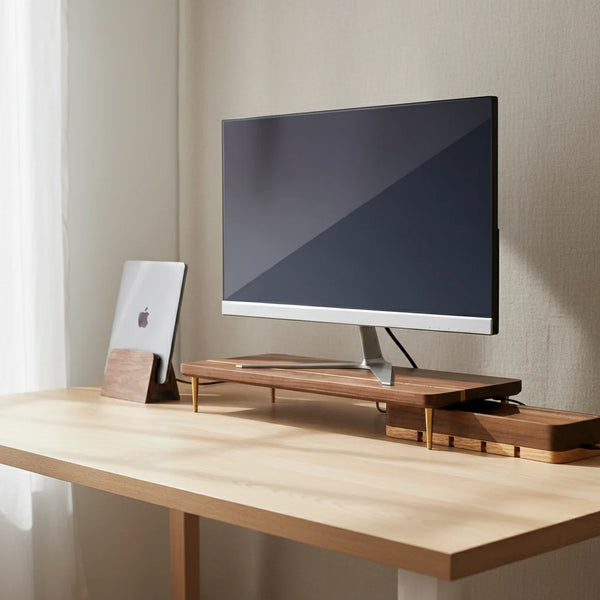
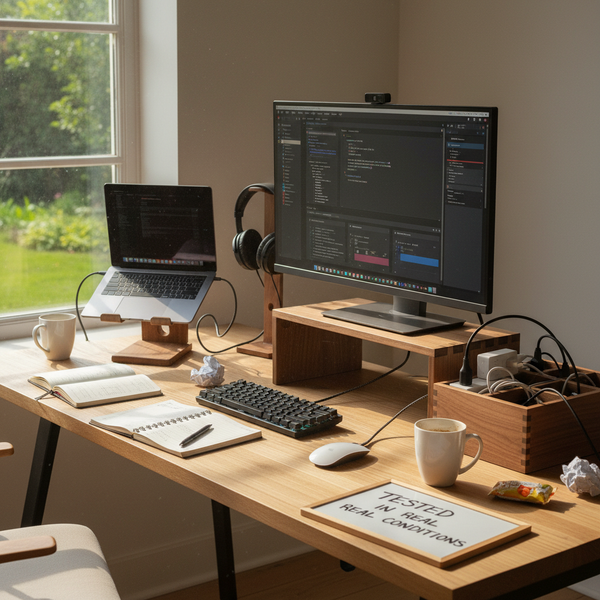
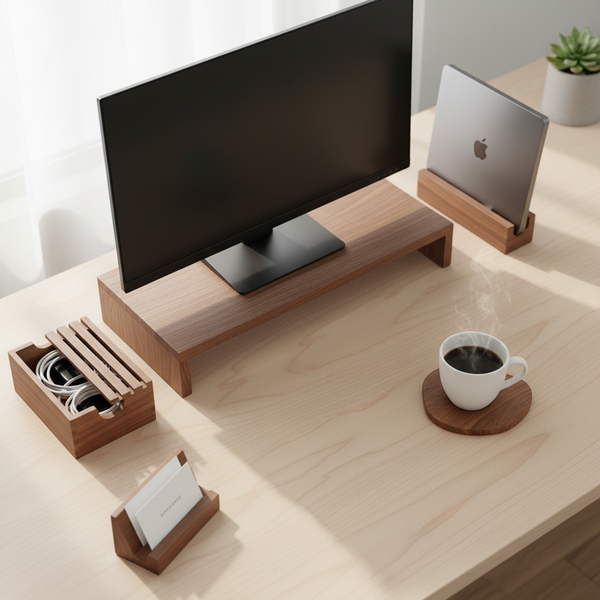
Search "home office setup ideas" and you get a thousand photos. A treadmill desk under a skylight. A floating walnut shelf with a single MacBook. A kitchen island with a barstool. A closet with a pegboard and a vintage chair. Every one of them looks great in a photo. About a third of them fall apart the first week somebody actually tries to use them eight hours a day.
This guide separates the home office ideas that survive contact with reality from the ones that don't. It assumes you work from home at least three days a week, in a real apartment or house — not a 200 sq ft minimalist Tokyo studio shot at golden hour. It assumes your room shares space with sleeping, eating, or hosting guests. And it assumes you'd rather spend $200 on three pieces that solve a real problem than $2,000 on a photogenic setup that looks tired by Friday.
For the underlying ergonomic principles — screen height, posture, the order in which to fix things — read our pillar guide on the importance of an ergonomic desk setup. This article picks up where that one stops: which of the popular home office setup ideas pass the honest weekly test, and which ones are Pinterest theater.
What "home office setup ideas" actually means in 2026
A home office setup idea, in the way the phrase is used online, is a snapshot of a workspace someone built and photographed. The problem is that the photograph captures a static moment, not a working week. A setup that looks beautiful at 9 am on Sunday — empty desk, single laptop, perfect cable run — can collapse by Tuesday lunch when the laptop is angled wrong, the chair has been adjusted by a roommate, and the cables have re-spawned across the surface. The setups that actually work share a small list of unphotogenic traits: external screen at eye level, keyboard and mouse on the same plane, cables routed to one box, and an aesthetic plain enough that nobody else in the room minds it being there.
Why most popular home office ideas fail in practice
According to a 2024 Owl Labs hybrid-work survey of 2,300 U.S. knowledge workers, 73% of people working from home at least three days a week described their setup as "a compromise between ergonomics and how the room looks." That's the trap. The popular setups online are optimized for one variable — visual appeal — at the expense of two harder ones: ergonomics over an 8-hour day, and aesthetic survival across multi-purpose room use. A treadmill desk photographs as "innovative" and gets used as a coat rack by month two. A floating shelf desk photographs as "minimalist" and gets returned by month three because there is nowhere to put the laptop when guests come over. The setups that genuinely work are the ones photographed less because they look ordinary — a wooden monitor stand, an external keyboard, a cord box — and that's exactly why they keep being used five years in.
The three honest tests every home office idea has to pass
Before you copy any home office setup idea from Pinterest, Instagram, or a magazine, run it through these three tests. If it fails any one, the photograph is lying to you about how it will feel on a Wednesday afternoon.
Test 1 — Does it survive Tuesday?
Tuesday is when novelty wears off. A setup survives Tuesday when nothing about it required you to be inspired, athletic, or aesthetic-minded to use it correctly. A treadmill desk requires you to remember to walk; a kitchen island office requires you to clear the dishes; a Pinterest closet office requires you to physically open the closet, sit on a stool, and tolerate the lighting. Setups that survive Tuesday share one trait: zero friction between sitting down and starting work. The chair stays put, the monitor stays at eye level, the keyboard is in the same place it was yesterday. If the idea requires you to perform a daily ritual just to use it, it will quietly die by month three and you'll be back to a laptop on the kitchen table.
Test 2 — Does it look like furniture at 6 pm?
A home workspace lives inside a room that also has other lives. The setup that earns the right to stay in the living room is the one a guest wouldn't notice as a workspace. That rules out cable-spaghetti improvisations, monitor-stacked-on-textbooks fixes, and any plastic accessory that announces itself as office equipment. It favors materials that read as residential — wood, fabric, matte metal in warm tones. A solid walnut monitor stand and a cord organizer box pass this test because at 6 pm they look like small furniture. A black plastic riser with cooling vents fails it because it announces "office" the moment you stop working.
Test 3 — Does it raise the screen?
This is the cheap, brutal test. Pull up the photo of any home office setup idea you're considering. If the laptop is flat on the desk and being used as the primary screen, the setup is wrong, no matter how pretty the desk is. If there's an external monitor sitting on the desk surface without a stand, it's almost certainly too low for whoever uses it (the median monitor base puts the top edge at chin height, not eye level). The screen-height test eliminates roughly 60% of popular setups before you even consider chair or cables. It costs $12 to $89 to fix — usually a monitor stand, an additional riser leg, or a vertical laptop stand plus an external display.
Five home office setup ideas that actually work
These five are not the most photogenic ideas online. They are the ones you'll still be using in three years. Each one solves a concrete failure mode in residential setups — screen too low, laptop blocking the surface, cables crossing a shared room, stand too short for tall users, small clutter drifting into the mouse zone. All are solid walnut, sized for home use, and unobtrusive enough that they stay in place after the novelty wears off.


Comparison table — home office ideas ranked by ergonomic ROI
This is the unglamorous ranking. The score isn't beauty — it's how much physical comfort the idea actually buys per dollar over a full year. Most online lists rank by likes; this one ranks by Tuesday-afternoon outcomes.
| Idea | Cost | Ergonomic ROI | Survives Tuesday? | Looks like furniture at 6 pm? |
|---|---|---|---|---|
| Walnut monitor stand | $89 | Very high — fixes neck flexion | Yes | Yes |
| Vertical laptop stand | $67 | High — frees desk, forces clamshell | Yes | Yes |
| Cord organizer box | $46 | Medium — visual hygiene | Yes | Yes |
| Additional riser leg | $12.50 | Very high for tall users | Yes | Yes (hidden under stand) |
| Treadmill desk | $600+ | Low — used 2 weeks, then storage | No | No |
| Floating shelf desk | $120–$300 | Low — fixed height, no storage | Conditional | Yes (best feature) |
| Kitchen-island office | $0 | Very low — barstool ergonomics | No | N/A |
Four popular home office ideas that don't survive contact with reality
These four ideas come up in almost every home office gallery. Each one looks great in a photograph and most fail under the weekly-use test. Worth knowing before you spend $500 on a setup that ends up in a storage closet by August.
Treadmill desk
The treadmill desk is the most photogenic idea on the internet and the most quickly abandoned in real life. According to multiple workplace ergonomics reviews, treadmill desks see daily use for an average of 6 to 9 weeks before being treated as a coat rack or being sold secondhand. The reasons are predictable: typing accuracy drops 15–25% at walking pace, you can't take calls without sounding out of breath, and the noise is unwelcome in a shared apartment. If you want movement, a sit-stand desk plus deliberate two-minute walking breaks every hour delivers most of the benefit for a fraction of the cost and zero noise. Treadmill desks survive only in dedicated home offices with no shared walls — which is not the room most people are setting up.
Floating shelf desk
A floating shelf desk — a single wooden plank bolted to a wall with no legs — is the magazine darling. It photographs as minimalist, makes the room look bigger, and looks great with one laptop and a single plant. It fails in practice on three points. The plank height is fixed at install — usually wrong for the median user. There is no storage underneath, so a printer, a backup drive, and a second-monitor cable all end up in plain view on a side table. And no floating shelf rated for a real working load (laptop + 27 in monitor + an arm leaning on the front edge) is cheap to install correctly. A small wall-anchored desk with proper legs costs less, holds more, and adjusts to your actual seated height — and you can put a monitor stand on it.
Kitchen-island office
This is the "I'll just work from the kitchen island for now" idea that quietly becomes permanent. It fails three of the three honest tests. Survives Tuesday? Not really — you can't leave a setup on the island because dinner has to happen. Looks like furniture at 6 pm? It already is furniture, but the furniture is wrong for sitting eight hours. Raises the screen? Counter height plus a barstool gives a particularly bad geometry — usually too high relative to your seat, which forces your shoulders up to your ears within an hour. Use the kitchen island for a 30-minute email session if you must; don't pretend it's a workspace.
"Pinterest closet office"
The closet-converted-into-office idea — also called a "cloffice" — is widely shared and rarely survives contact with reality. The closet was designed for hanging clothes, not for an adult sitting at a desk for eight hours. The interior depth is usually 50–60 cm, which is too shallow for a 70 cm desk depth requirement. Lighting is poor. Ventilation is poor. And opening the door is required to use the space, which means everyone in the room can see you on a call. Cloffices work as a photogenic small-task station — bill paying, calendar management, occasional email — and not as a full-time hybrid-work setup.
Decision matrix — three budget tiers that actually deliver
You almost never buy all five accessories at once. The matrix below sorts a home upgrade into three realistic envelopes, each one designed to remove the largest remaining source of pain — not to chase the most Instagram-friendly photo.
| Budget tier | What to buy | Removes |
|---|---|---|
| $0 — what's already in the house | Stack of hardback books under the laptop, rolled towel at lumbar, external keyboard you already own | The worst 50% of neck strain — laptop comes off the desk, lumbar gets some support |
| $100 tier — first permanent fix | Vertical laptop stand ($67) + riser leg ($12.50) + external mouse | Laptop blocking surface, screen still too low for tall users, mouse drift |
| $200 tier — full home setup | Walnut monitor stand ($89) + cord organizer box ($46) + vertical laptop stand ($67) | All five ergonomic failures in one shipment — neck, laptop position, cables, mouse, clutter |
Step-by-step — pick the three ideas that fit your room in 30 minutes
You do not need to copy a magazine setup. You need to apply three ideas to the specific room you have. This is the process that consistently produces a workspace that survives the year.
1 — Photograph your current setup honestly (5 min). Take a phone photo of your desk at 5 pm on a typical Wednesday — not after you tidied it. The photo will show three things: where the laptop sits, what the cables look like, and what clutter has accumulated. That photo is your real starting point, not the imagined version.
2 — Identify the single worst failure (3 min). Look at the photo. Is the screen too low? Is the laptop blocking the surface? Are cables crossing the desk? Is small clutter occupying the mouse zone? Whichever one bothers you most when you look at the photo — that's the failure to fix first. Don't try to fix all four at once.
3 — Match the failure to an idea (2 min). Screen too low → monitor stand or riser leg. Laptop blocking surface → vertical laptop stand. Cables crossing surface → cord organizer box. Small clutter in mouse zone → business card holder. One failure, one idea, one purchase.
4 — Install only that one piece (10 min). Resist the temptation to buy three things. Install one, use it for a week, and see what the next-largest failure becomes. The setup that lasts is built one piece at a time, not delivered in a single Amazon box.
5 — Repeat at six weeks (5 min). After six weeks, photograph the desk again. Compare to the original. If the original failure is gone and a new one has emerged, address that one next. Most home setups stabilize at three accessories — not seven, not ten.
6 — Mark a quarterly check (5 min). Calendar reminder, three months out. Home setups drift faster than office ones because the room gets used for other things. A quarterly five-minute audit catches the cables that escaped the box and the chair that someone else adjusted.
Three home office ideas worth stealing from minimalist setups
Not every photogenic idea is a trap. A few are genuinely good ergonomics dressed up in good photography. Worth lifting from the magazine into your real apartment.
Single-screen-at-eye-level (clamshell laptop). A walnut monitor stand plus a vertical laptop stand gives you one large screen at the right height and a laptop that disappears next to it. This is the geometry mainstream ergonomic research consistently endorses, and it photographs cleanly enough to belong in a minimalist setup. Two screens at two heights — almost always one too high and one too low — is a worse outcome despite looking more "serious" in photos.
Wood as the dominant material. Solid walnut and oak accessories don't read as "office equipment" the way black plastic does. That means they stay in a living room without complaint, which means they stay in place after the novelty wears off. The acoustic side effect is real too: wooden risers and boxes dampen keyboard echo, which matters in a small room.
Cable hygiene treated as design, not afterthought. Bring every cable to the back edge of the desk, drop the excess into a single closed box, and only leave on the surface the cables you plug and unplug daily. A setup with one visible cable looks twice as good as one with seven visible cables, regardless of the desk underneath.
FAQ — home office setup ideas that actually work
1 — What is a good home office setup? A good home office setup raises the screen to eye level, places keyboard and mouse on the same plane in front of the body, hides cables in a single closed box, and looks plain enough to belong in the rest of the room. Aesthetic counts only as a tiebreaker — the screen-at-eye-level fix is non-negotiable, every other choice is secondary. For the underlying principles, see our ergonomic desk setup guide.
2 — What home office setups actually improve productivity? Setups where the screen sits at eye level (top edge meets your eyes when you sit upright), where the keyboard and mouse are on the same plane in front of you, and where the desk surface is mostly empty. A Stanford Institute for Economic Policy Research review estimated that home-office ergonomic friction costs the average hybrid worker 47 minutes per week of productive time — small fixes have outsized return.
3 — How do I make my small home office look bigger? Reduce visible objects. Get the laptop off the desk surface (a vertical laptop stand takes a 30 × 22 cm footprint down to 8 × 12 cm) and route every cable into a single closed box. A 110 cm narrow desk with three visible objects reads larger than a 160 cm desk covered in dongles and chargers.
4 — Is a dual-monitor setup worth it at home? For most workers, no. Two monitors at two different heights forces constant micro-adjustments of the neck and is usually less productive than one large screen well-placed. If you genuinely need a second screen, use the laptop as the second screen in clamshell-up mode at the same height as the main monitor — not lower. A walnut monitor stand plus a vertical laptop stand gets you the geometry of a single screen at eye level, which is usually the right call.
5 — Should I get a standing desk for my home office? Only if you'll actually use it as one. If you'd set it at standing height once a week and forget about it, it's a more expensive fixed-height desk. Most home workers get more benefit from fixing the seated geometry well (screen, chair, cable run) plus deliberate two-minute walks every hour. A sit-stand desk is a fine upgrade after the basics are right, not before.
6 — What home office ideas don't work in real life? Treadmill desks (abandoned after 6–9 weeks on average), kitchen-island offices (counter geometry forces shoulder strain within an hour), Pinterest closet offices (poor lighting, no ventilation, awkward depth), and floating-shelf desks installed at the wrong height (you can't adjust them after the fact). Avoid the first three entirely; only do a floating-shelf if you've measured your seated screen height first.
7 — How do I set up a home office in a closet? A closet office works for a 30-minute admin session, not for a full hybrid-work setup. If you must, measure the interior depth first — anything under 60 cm is too shallow for an adult workstation. Add a small task lamp (the closet's overhead light is always wrong), a small fan (ventilation is poor with the door closed), and accept the limitation: this is a billing-and-email station, not a 40-hour-a-week workspace.
8 — What are the worst home office setup mistakes? Laptop flat on the desk used as the primary screen, cables crossing the surface, chair adjusted for a different person, monitor placed in front of a south-facing window so the eyes squint all afternoon, and accessories so visibly "office" that they get quietly removed when guests come over. The screen-height mistake is the most common and the cheapest to fix — see our pillar guide on ergonomic desks.
9 — How much should I spend on a home office setup? About $200, spread over three months, in three purchases. That's enough for a walnut monitor stand, a vertical laptop stand, and a cord organizer box — the three pieces that solve the five most common home failures. Spending more before fixing the basics returns very little; spending less leaves the screen too low.
10 — What are good home office decor ideas that don't hurt ergonomics? Wooden accessories that double as ergonomic fixes — a walnut monitor stand reads as a piece of small furniture and raises the screen at the same time. A walnut cord box looks like a small storage box and hides the power strip. Decor that competes with function — a planter on the desk that takes the mouse-zone real estate, a candle near the keyboard — quietly hurts both.
11 — How do I know my home office setup is working? Three tests, one week apart. After Monday, your neck is not stiff. After Wednesday, you haven't moved the laptop off the stand. After Friday, the cables are still in the box and not on the surface. If all three are true, the setup is doing its job. If one is false, fix that single failure before adding anything else.
Related guides in this cluster
This article is one of eleven companion guides built around our pillar on the importance of an ergonomic desk setup. For deeper reading on the accessories referenced above:
- How to set up an ergonomic workspace at home — the step-by-step sister article
- 5 best wood desk accessories and organizers for 2026 — the tighter five-piece roundup
- The desk accessories you actually need — minimalist starter list
- The best office desk accessories for small spaces — sister article focused on dorm rooms, studios, and shared desks
- Best wooden monitor stands and risers review in 2026 — deep dive on the screen-height fix
- Browse the full desk accessories collection
Closing — pick the three that survive Tuesday
If you take only one thing from this guide, take this: the home office ideas that work look ordinary in photos and excellent in life. The ones that fail look excellent in photos and ordinary in life. The first test is always whether the screen is at eye level. The second is whether the desk would still be tolerable in your living room at 6 pm. The third is whether you'd still be using the setup six weeks from now without any deliberate effort. Three ideas, fitted to your specific room, beat ten ideas copied from a gallery.
When you're ready to make one change, the walnut monitor stand is the single highest-return piece in this list — and it photographs as well in your room as it does on Instagram.