Top 10 Ways to Improve Your Home Office in 2026
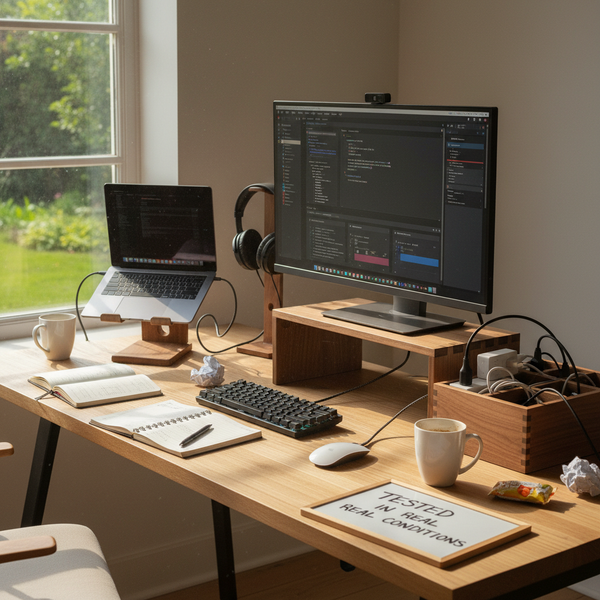
Most home offices in 2026 are not bad on purpose. They're a room that was meant to be a guest bedroom, a corner of the dining table that quietly turned into a workstation in 2020, or a real desk that started clean and accumulated three years of cables, mugs, sticky notes, and a laptop balanced on a stack of cookbooks. None of these setups is broken; each one is paying a small daily tax in neck stiffness, lost focus, and the vague feeling that work follows you to bed because it never actually had its own room.
The good news is that the ten changes that matter most are cheap, fast, and reversible. None of them require a renovation, a $2,000 chair, or moving to a bigger apartment. They require seeing the desk for what it is — a machine that helps or hurts you eight hours a day — and adjusting it accordingly. This guide walks through the ten improvements that consistently produce the largest comfort and focus gain per dollar and per hour spent, in the order most people should apply them. By the end, you'll have a concrete sequence to follow this weekend.
This article is the Top 10 ways to improve your home office spoke in our 2026 desk series. For the full theory behind the principles below, read the pillar guide on ergonomic desk setup. For deeper dives into the accessories mentioned here, see our companion pieces on the 5 best wood desk accessories for 2026 and on setting up an ergonomic workspace at home.
Why home-office quality is no longer a luxury in 2026
Hybrid work is now the default for a large share of knowledge workers. According to the U.S. Bureau of Labor Statistics' 2024 American Time Use Survey, roughly 35% of employed adults did at least some of their work from home on a given day in late 2024 — a level that has not declined materially in 2025 or 2026. For most of those people, the home office is no longer a temporary station; it is the room they spend more conscious hours in than any other except, possibly, the kitchen.
That changes the math. A $200 round of improvements that buys you measurably less neck stiffness, better focus after lunch, and a workspace you don't dread sitting down at on a Monday morning has a return that compounds over years, not months. Yet most home offices in 2026 still bear the marks of the improvised 2020 setup — a low laptop, a chair that wasn't designed for typing, a lamp aimed at a screen, a tangle of cables that nobody has untangled in eighteen months. The ten changes below are the ones that show up most consistently when ergonomists, productivity researchers, and the people we talk to in our studio describe what actually moved the needle for them.
The 10 ways to improve your home office
These ten improvements are listed in the order most people should make them. The early items fix the largest source of daily physical strain (screen position, chair, keyboard). The middle items remove friction and visual clutter (cables, lamp, surface). The later items make the room feel like a place you want to be (plants, boundaries, breaks). Don't skip ahead — the order is itself part of the recommendation.
1. Raise the screen until the top edge meets eye level
This is the single highest-return change you can make to a home office. When the top of your monitor sits at or just below eye level, your neck stays in a neutral position. When the screen is lower — and on a laptop placed directly on a desk, it always is — the neck flexes forward by 15 to 30 degrees, and the small muscles between your shoulder blades work the whole day to hold your skull in place. By 4 pm, you feel it. By the end of a year, you have a chronic problem.
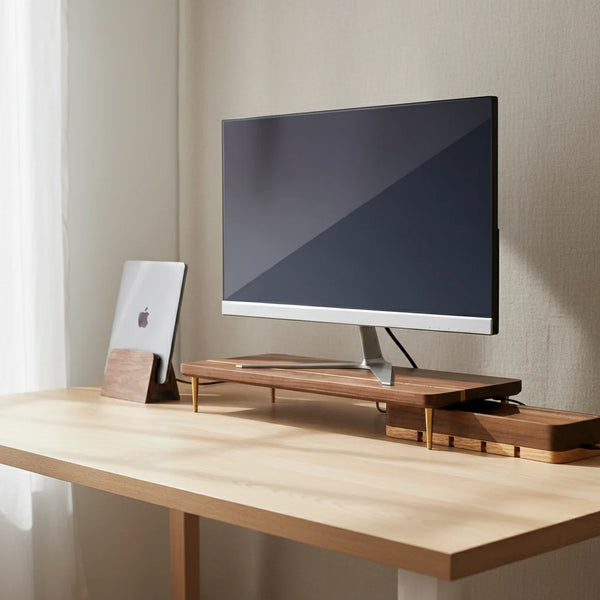
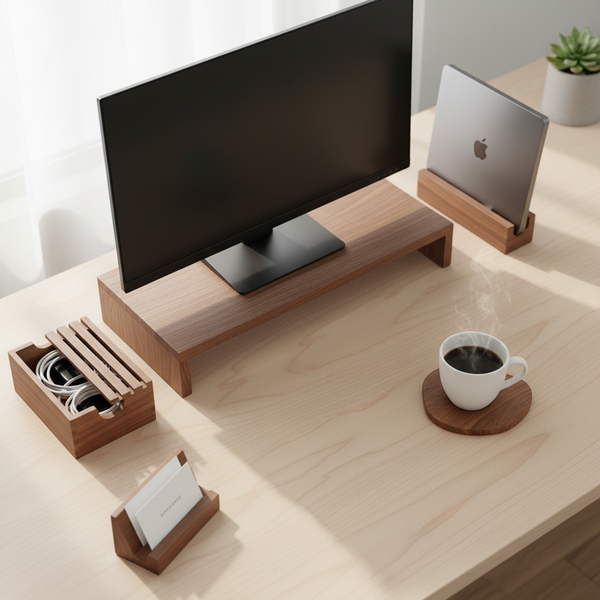
The fix is mechanical. A walnut splicing-wood monitor stand lifts an external display by 6 cm, which is enough to bring the top edge to eye level for most users between 5 ft 4 in and 6 ft. Tall users (6 ft and above) can add an additional riser leg for an extra 4 cm. The stand also creates a slot underneath where the keyboard can park when not in use — small footprint win on a small desk. Spend 30 seconds checking the result: when your gaze drops naturally to read the middle of the screen, your chin should not move.
2. Use an external keyboard and mouse, not the laptop's
The second improvement only matters if the first is done. Once the laptop is elevated to eye level, you can't type on its keyboard without raising your shoulders to your ears. That undoes everything you just gained. An external keyboard and mouse, placed at desk height where your elbows hang naturally at 90 degrees, restore the neutral arm position the laptop's built-in keyboard breaks.
The choice of keyboard matters less than people think. A standard Apple Magic Keyboard or a Logitech MX Keys works for most people. What matters is the geometry: keyboard centered in front of you, mouse as close to the keyboard as your hand size allows, both at the same height. If you're going to upgrade once, upgrade once well — a $100 keyboard you use eight hours a day costs you about $0.05 per hour over five years. The mouse decision follows the same logic; a mouse that fits your hand shape beats a mouse that has more buttons. Avoid trackpads for primary mouse use over long sessions — the lateral wrist motion fatigues the forearm.
3. Eliminate cable clutter from the visible work surface
Cables snaking across the desk do two things, both bad. They visually fragment the surface, which raises the cognitive load of every task by a small but constant amount. And they pull on plugs when something is unplugged, which gradually shoves the keyboard, mouse, or lamp out of position. A clean surface is not an aesthetic preference; it's a maintenance feature that keeps the rest of your setup where you put it.
The simplest fix is a walnut USB cord organizer box at the back edge of the desk, into which the power strip, the excess length of all cables, and any USB hubs disappear. Only the daily-use plugs — phone charger, headphones — reach the work surface. Pair the box with a couple of $5 adhesive cable clips under the back lip of the desk to route the visible cable runs along a single line. Total project time: 20 minutes. The first time you sit down at the cleaned desk, you'll notice you're already thinking about work, not about the mess.
4. Choose one warm task lamp that doesn't reflect on the screen
Most home offices have one of two lighting problems. Either the overhead light reflects on the screen and creates a glare you compensate for by tilting your head, or the room is lit only by the screen itself, which is hard on the eyes after about 20 minutes of evening work. Both problems are solved by a single warm task lamp placed on the keyboard side of the desk.
Aim for around 400 to 500 lumens, with a 2700K to 3000K bulb (warm white). The lamp should illuminate your notebook and the keyboard, not the screen. Position it so it sits beside the screen rather than behind or above it, and so its light cone does not catch the glass. A small swing-arm desk lamp gives you the ability to redirect light through the day as window light moves. In the evening, dim the room's ambient lighting rather than the screen alone — a bright screen against a dark wall is the recipe for end-of-day headaches.
5. Re-set the chair before the workday begins
The chair is the single most expensive piece of office equipment most people own, and the one whose settings drift the fastest. If anyone else uses your chair — a partner working remotely on Wednesdays, a kid doing homework, a guest — the seat height, lumbar position, and armrest height will not be where you left them. Re-setting them takes 20 seconds and is best done before you start work, not at 11 am when your shoulders are already complaining.
Three settings cover 90% of the value. First, seat height: feet flat on the floor, thighs roughly parallel to the ground, no pressure on the back of the thigh. Second, lumbar support: the curve of the chair should meet the small of your back; if it doesn't, a rolled towel or small pillow at lumbar height does the same job for free. Third, armrests: low enough that your shoulders stay relaxed when typing, not hunched up to meet them. If your feet don't reach the floor when the seat is high enough to clear the desk, a footrest (or a stack of books) is the patch.
6. Add a vertical laptop stand to reclaim the desk surface
If you work in a hybrid setup — external monitor most of the day, laptop closed in clamshell mode — the laptop is dead weight on the desk surface. A flat laptop next to your monitor takes up roughly 30 × 20 cm and adds visual noise. A vertical laptop stand holds a closed MacBook upright in a footprint of 12 × 12 cm, frees the surface, and keeps the laptop accessible for when you grab it for a meeting in the kitchen.
The same accessory solves a second problem: it forces you to choose between dual-screen and clamshell. People who try to run a laptop open as a second display while looking at a primary monitor at eye level end up with their neck rotating constantly between two screens at two different heights. One screen at eye level beats two screens at two heights for both posture and focus. A vertical stand makes the decision automatic — the laptop is closed by default, and the rare moment you need its keyboard, you take it out of the stand.
7. Replace plastic desk accessories with solid wood
This one sounds like decoration but earns its place for two functional reasons. First, solid wood (walnut, beech, oak) absorbs the small vibrations of typing and the resonance of a keyboard hitting a hard surface, which reduces a low-grade acoustic fatigue most people don't notice until it's gone. Second, wooden accessories age in a way plastic doesn't — they patina rather than scuff, and they continue to look intentional after three years of daily use, whereas a $12 plastic monitor riser looks shabby within a season.
Practically, the swap targets a handful of items: monitor stand, laptop stand, cord organizer, business card holder, desk tray. None of these need to be expensive — most live in the $25 to $90 range — but each one removes a piece of visual plastic noise and replaces it with something that quietly improves the room. Browse our desk accessories collection for the pieces referenced throughout this guide.
8. Add exactly one plant and exactly one personal object
The temptation in a clean office is to fill it. The temptation in a cluttered office is to throw everything out. The right answer is roughly between the two: one plant and one personal object, deliberately chosen, placed where they don't compete with the work surface. The plant adds humidity (helpful for screen-dried eyes), a touch of color, and a small living thing to look at during the 20-second 20-foot focal break recommended for eye fatigue. A small pothos, a snake plant, or a ZZ plant survives inattention and low light better than fussier species.
The personal object — a single photo, a small ceramic piece, a memento — is what makes the room feel like yours instead of a generic productivity bunker. The constraint of one matters: every additional object dilutes the signal of the first. If you currently have eight personal objects on the desk, pick the one that matters most, put the others in a drawer for a month, and notice whether you miss them.
9. Mark a clear boundary between the office and the rest of the home
The home-office productivity literature consistently identifies one factor that matters more than any specific tool: the ability to start and stop work cleanly. When the office is a dedicated room with a door, the boundary is built in. When it's a corner of a living space, the boundary has to be designed in — a curtain you can pull, a folding screen, a specific desk lamp you only turn on during work hours, a chair you only sit in for work. The signal does not have to be physical; it has to be repeatable.
For shared spaces, an even simpler rule works: define a start-of-work signal and an end-of-work signal, and use the same two every day. A specific playlist, a coffee in a specific mug, a 5-minute walk around the block before sitting down. The brain learns the pattern within two weeks. The reverse — closing the laptop, putting it in a vertical stand or a drawer, and walking away — is what actually lets you stop thinking about work in the evening. A messy open setup follows you to bed; a cleared desk doesn't.
10. Schedule a real micro-break every 45 to 60 minutes
The last improvement costs nothing and is the one most people skip. Sitting at a screen for three hours without breaking erodes posture, focus, and eye health faster than any single ergonomic problem. The widely cited 20-20-20 rule — every 20 minutes, look at something 20 feet away for 20 seconds — addresses the eyes. For the rest of the body, a 2-minute stand-up walk every 45 to 60 minutes does most of what an expensive standing desk does, at no cost.
The trick is making the break automatic. A timer (a phone reminder, a Pomodoro app, a kitchen timer next to the desk) beats willpower. Use the two minutes to walk to the window, refill a water glass, stretch the shoulders, or look at the plant from item 8. The point is not to do something productive during the break; it is to give the body a reset. Three of these breaks a day is the minimum that the ergonomic literature consistently associates with reduced end-of-day stiffness.
The accessories worth keeping on an improved home office
These five pieces from our desk accessories collection are the ones referenced most often in the ten improvements above. Each one solves a specific problem; none of them needs to be bought in a single trip.


Comparison table
| Accessory | Price | Solves which item | Best for |
|---|---|---|---|
| Walnut Monitor Stand | $89.00 | #1 — Screen height | External 24–32 in display |
| Vertical Laptop Stand | $67.00 | #6 — Reclaim desk surface | Clamshell MacBook + monitor |
| Cord Organizer Box | $46.00 | #3 — Cable clutter | Power strip + USB hub |
| Additional Riser Leg | $12.50 | #1 — Stand still too low | Tall users (6 ft +) |
| Business Card Holder | $24.00 | #7 — Replace plastic | Anyone giving cards weekly |
Decision matrix — what to buy first if you can only buy one thing
You do not need to buy all five accessories at once. Pick the one that matches your largest current pain point.
| If your biggest problem is… | Start with |
|---|---|
| Stiff neck by 3 pm | Walnut Monitor Stand |
| Laptop hogging the desk | Vertical Laptop Stand |
| Tangle of cables on view | Cord Organizer Box |
| Tall frame, screen still too low | Additional Riser Leg |
| Surface always a little messy | Business Card Holder + one drawer cleanup |
Common mistakes that undo a good home-office upgrade
Three patterns show up almost every time someone improves a setup and then quietly slides back to the original mess within a few months.
Buying without sequencing. People who buy a $700 chair before raising the screen still get neck pain. Fix the screen first, then the chair. The order of items 1 through 10 above is not arbitrary; it follows the size of the problem each one solves.
Treating the cleanup as a one-time event. A home office is not a renovation. It's a small ongoing maintenance practice. Five minutes at the end of every workday to push the mouse back, reroute one cable, and put away one stray object beats an annual three-hour overhaul.
Adding without subtracting. Every new object on the desk takes attention from every other object. If you buy a new lamp, decide what comes off. If you add a plant, remove a knickknack. The desk holds a fixed amount of attention; what's on it should earn that attention.
FAQ — improving your home office
1 — What is the cheapest way to improve a home office? Spend twenty minutes routing cables to the back of the desk and dropping the power strip into a closed box. It costs $0 if you have a shoebox, $46 for a walnut cord organizer box. The change in how the desk feels is out of proportion to the time spent.
2 — How much should I spend to improve my home office? A meaningful upgrade — monitor stand, external keyboard and mouse, cord organizer, a decent lamp — runs around $250 to $400. A complete redo with a new chair adds another $250 to $600. Most of the comfort gain comes from the first $200 if it's spent on screen height and cable management.
3 — What is the most important upgrade if I only do one thing? Raise the screen until the top edge is at eye level. A walnut monitor stand for a desktop display, or a vertical laptop stand plus an external keyboard for a laptop user, fixes more posture problems than any other single change.
4 — How do I improve a small home office in a shared room? Three rules. First, mark the boundary with a single repeatable signal (a curtain, a specific lamp, a specific chair). Second, choose accessories that compress vertically rather than spreading horizontally — a vertical laptop stand instead of a flat one, a closed cord box instead of an open tray. Third, end each day by clearing the surface; a small visible desk in a shared room is far better than a cluttered one.
5 — Is a standing desk worth it for a home office? Yes, if you actually alternate sitting and standing every 30 to 45 minutes. No, if you set it once and never move it — in that case, you've paid for a more expensive fixed desk. If you don't have one, the ten improvements above will give you more comfort gain per dollar than a $400 standing desk.
6 — How do I improve home-office lighting on a budget? One swing-arm task lamp on the keyboard side of the desk, 400 to 500 lumens, 2700K to 3000K bulb (warm white). Position it so it lights the keyboard and notebook, not the screen. Total cost: $30 to $80. The difference at 7 pm is immediate.
7 — Are wooden accessories actually better than plastic for a home office? For desk accessories, yes — for two reasons. They absorb keyboard vibration (less acoustic fatigue) and they age better (patina instead of scuff marks). Functionally, a plastic monitor stand lifts a screen the same number of centimeters. Aesthetically and acoustically, the wood wins over a multi-year horizon. Browse the desk accessories collection for the pieces we recommend.
8 — How do I make my home office more productive without spending money? Three free changes that move the needle. First, set a 45-minute timer and take a 2-minute walking break each time it rings. Second, clear the desk at the end of every workday so you start clean. Third, define a start-of-work and end-of-work signal (a specific playlist, a coffee in a specific mug) and use the same two every day. The brain learns the pattern within two weeks.
9 — How do I keep my home office tidy long-term? Five-minute end-of-day cleanup, every workday. Push the mouse back to the keyboard, drop pens into one cup, route one stray cable, put away one object that doesn't belong. The maintenance cost is small; the cost of not doing it compounds.
10 — Does adding plants to a home office actually help? Modestly yes, mostly for visual rest during the 20-second 20-foot eye-break and for a small humidity bump. One plant is enough; more becomes maintenance. Choose a low-care species — pothos, snake plant, ZZ plant — that survives a missed watering.
11 — Can I have a real home office in a 9 m² (~100 ft²) room? Yes — most of the recommendations above were designed with small rooms in mind. Compress vertically with a vertical laptop stand and a monitor stand that adds usable storage underneath. Hide cables in a closed box. Pick one plant and one personal object. A small room with these choices feels more like an office than a large room with three years of accumulated clutter.
Related guides
This article is part of the CraftKitties 2026 desk series. The pillar guide and two companion spokes go deeper on adjacent topics.
- The Importance of an Ergonomic Desk Setup in 2026 — pillar reference for all the ergonomic principles touched on above.
- The 5 Best Wood Desk Accessories for 2026 — tighter roundup of the wooden pieces mentioned in item #7.
- How to Set Up an Ergonomic Workspace at Home — step-by-step routine for the first hour of a new workspace.
Closing — start with one improvement, this week
The ten changes above are listed in priority order, but you don't have to do them all this weekend. Pick one. The single highest-return improvement, for the largest share of home offices we see, is raising the screen and adding an external keyboard. Forty-five minutes of work, $89 to $156 spent, and a noticeable change in how your neck feels by Thursday.
When you're ready, browse the full desk accessories collection for the pieces in this guide, or start with the walnut monitor stand — the single accessory that solves the largest problem in the largest number of home offices.