At a glance
- Keep the source image and OCR text together, then compare names and reference strings character by character.
- Record mismatches such as 0/O, 1/I, accents, and line breaks as unresolved until checked.
- Do not use uncertain OCR or a desk tray as a verified record.
OCR turns an image into searchable text, but it can confuse characters that look alike. Before using a name or reference number, compare the extracted text against the retained source image and record every mismatch. Keep the paper original, scanned image, and OCR output linked; the machine text is a convenience, not a corrected original.
Start with a non-sensitive typed sample
Use an ordinary typed page with no personal, legal, medical, or financial data. Record the scanner or app, language setting if visible, and the exact file names for the source image and OCR text. Keep the image even if the output looks accurate. Do not feed fragile or valuable paper through an automatic scanner; ask for preservation advice if the source is delicate.
NARA recommends retaining originals and adding identifying metadata when digitizing. Its guidance does not say OCR replaces the original or proves a legal record. See NARA’s digitizing advice. Epson notes that unclear, handwritten, or repeatedly copied source images can reduce OCR recognition; its settings are model-specific. See Epson’s image and OCR troubleshooting.
Compare each critical field with the image
Work through names, dates, IDs, and reference strings one field at a time. Read the image at a size where each printed character is visible. Copy exactly what is visible and preserve capitalization, punctuation, and line breaks when they might matter. Compare the OCR output beside it, not from memory. If an image is unclear, leave the value uncertain rather than choosing the more plausible spelling.
| Field location | Image transcription exactly visible | OCR string | Difference type | Confirmed correction or unknown | Next step |
|---|---|---|---|---|---|
| Header name | “Mara O’Neil” in sample | “Mara O'Neil” | Curly apostrophe normalized | Confirmed punctuation difference; preserve image text | Record normalized form separately if useful |
| Reference line | “AB-10?7”, character unresolved | “AB-1007” | Letter O / zero ambiguity | Unknown until source is clear | Check a clearer original or issuer record |
| Date field | “03/08/25” | “03/08/25” | None observed | Confirmed visually for this sample only | Keep image and OCR linked |
| Address line | Line break after street | OCR joins city to street | Line break/layout | Text visible; structure differs | Keep original formatting in reference copy |
These are hypothetical examples with invented text, not claims about accuracy rates or actual scanned files. A matching sample field does not prove that the rest of the document is error-free. Prioritize fields that matter for retrieval, such as names, reference codes, and dates, and check every one against the image.
Preserve uncertainty instead of auto-correcting it
A spelling checker may replace a name with a common word, and a numeric code may contain letters that OCR converts to digits. Do not “fix” a value because one version looks more likely. Record the image reading, OCR string, and whether the difference is confirmed. If the image itself is fuzzy, faxed, handwritten, clipped, or a copy of a copy, leave the field unresolved and seek a clearer source.
The OCR output should remain distinguishable from your corrected working transcript. If you need to correct a transcription for searching, keep the original extraction and record the correction source. Do not replace the image or alter the only copy of the paper.
Keep the source queue separate from the desk organizer
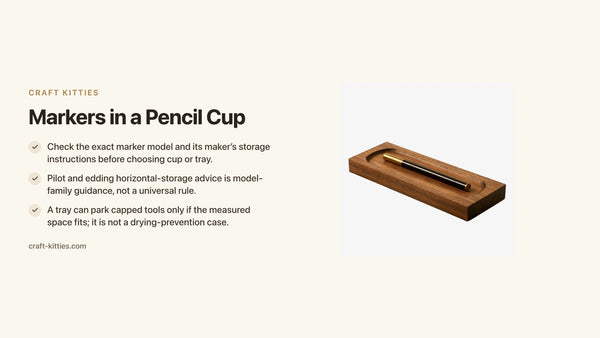
The small walnut tray is listed at 10 × 10 × 3 cm; that describes an outer size, not an OCR scanning platform or protective enclosure. It can only be considered for brief organization of protected source items if the measured space fits. See the small tray listing and walnut coffee tray listing for their stated products; neither is a scanner or overhead mount. For desk organization, see decluttering a home office desk and desk clutter solutions.
Add a second review only for consequential fields
After the first comparison, review the fields that will be used to find or act on the record: names, dates, IDs, reference numbers, and any key label. Use a second careful pass or ask another authorized reader to compare the image if the information is important. Do not expose sensitive documents to an unapproved person for review.
Keep a correction log that states the OCR string, the value visible in the image, the reason for a confirmed correction, and the reviewer/date. If the image does not distinguish the characters, mark the value unresolved and use an issuer or authoritative source. This is more reliable than treating a spellchecker or context guess as proof. Do not silently edit the raw OCR output; keep the original extraction and a separate corrected transcription.
The amount of checking should fit the consequence of the field, but no review makes OCR universally accurate. Preserve the source image and paper as required by the owner.
Keep raw OCR, verified transcription, and source image distinct
Store the unedited OCR output separately from any verified transcript you create. In the transcript, identify who compared it with the image and when. If you correct “1007” to “10O7,” for example, record why the visible character is clearly a letter O; if the scan cannot resolve it, keep the question open. Do not let a correction silently rewrite the machine output.
When you share a record, include enough context to avoid confusing the source image, extraction, and corrected copy. A simple suffix such as “source,” “OCR-raw,” and “transcription-checked” can help if it matches your file policy. The naming scheme is a local organization method, not a NARA standard or certification.
For sensitive paperwork, follow the owner’s access rules when asking for a second reviewer. A privacy-conscious verification is still a character-by-character comparison against the image; do not post the document or real identifiers publicly to resolve an OCR ambiguity.

Description
FAQs
Is OCR text more reliable than the image?
No. Use the source image to verify names and references. OCR can confuse similar characters and alter line breaks.
Should I correct a name to the spelling I expect?
Not unless a reliable source confirms it. Keep the image reading, OCR string, and uncertainty separate until verified.
Can OCR replace the paper original?
No such equivalence is established. Retain the original and its image according to the responsible owner’s requirements.
What if the image is too unclear to distinguish 0 from O?
Mark the field unknown and look for a clearer original or ask the issuing source. Do not guess based on what seems plausible.