At a glance
- Capture a thermal receipt while its details are readable, then verify the image before sorting the paper.
- Keep the original and image linked; record any line that remains unclear.
- Avoid heat, friction, solvents, lamination, and claims that a copy replaces the original.
Thermal receipts can become harder to read over time or after exposure to heat, light, moisture, and abrasion. If a receipt is still legible, make a careful image before organizing it, then inspect that image for date, reference, merchant, and item details. Keep the physical receipt linked to the copy; a capture is not a guarantee of reimbursement, legal sufficiency, or permanent readability.
Identify the paper and record its condition
Call the paper thermal only if you know it came from a thermal printer or the merchant identifies it. If the type is unknown, record that uncertainty. Before moving the receipt, note whether the ink is already faded, whether the edges are torn, and where the receipt was stored. Do not rub, fold, heat, iron, freeze, apply alcohol, or laminate it to reveal or preserve text.
Zebra explains that heat, light, moisture, and abrasion can affect thermal receipt readability. That guidance establishes handling risks for thermal media generally; it does not promise a lifespan for an unknown receipt or for any storage container. See Zebra’s thermal receipt information.
Capture the whole receipt before sorting
Place the receipt on a clean, dry, stable surface. Keep it flat only if it lies flat without forcing; do not press a brittle or curled original. Capture the full sheet with edges visible and avoid a glare or shadow obscuring print. Use the camera or scanner’s normal instructions and do not apply a heat-based or chemical “restoration.” Keep the original beside the image until verification is complete.
Epson notes that thermal receipts can deteriorate through age or friction and recommends early scanning; it also explains that unclear or repeatedly copied originals can reduce OCR recognition. Its advice concerns its scanner/software context and does not prescribe settings for every camera or app. See Epson’s scanning and OCR guidance.
Verify the image against visible details
Open the saved image and compare it with the paper while both are available. Check the top and bottom, date, transaction reference, merchant, and any items needed for the record. If a detail is too faint in the image, mark it unclear; do not reconstruct it from memory. Capture a second image only if it improves legibility without extra handling. Keep the file name tied to a neutral reference that also appears on the physical enclosure.
| Visible source detail | Image area | Readability observation | Missing or uncertain detail | Original location | Follow-up to issuer |
|---|---|---|---|---|---|
| Date at top | Whole top line | Legible in paper and image | None observed | Sleeve R-01 | None unless record needs confirmation |
| Item line near fold | Center of receipt | Visible on paper; soft in image | Last digit unclear | Sleeve R-02 | Ask merchant for a duplicate if needed |
| Total and reference | Lower section | Total readable, reference faint | One character unknown | Sleeve R-03 | Do not guess; contact issuer if reference is required |
| Entire receipt | Full frame | Bottom edge clipped | Last line absent from capture | Sleeve R-04 | Re-capture original while still readable |
These are hypothetical examples. They do not represent receipts we scanned. If the original itself is illegible, ask the issuer for a duplicate or alternate record; do not invent missing text.
Keep the original and digital copy together in the index
Write a neutral ID on an enclosure or in a private index, not directly on the receipt. Record where the original is stored, the image filename, capture date, and unresolved details. Do not assume the image replaces the original or meets a tax, reimbursement, legal, or retention requirement. Follow the policy of the organization or issuer that needs the record.
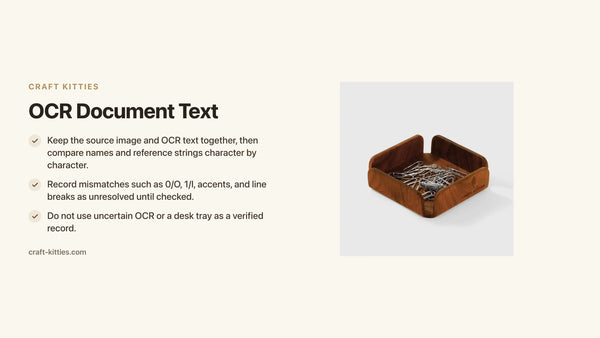
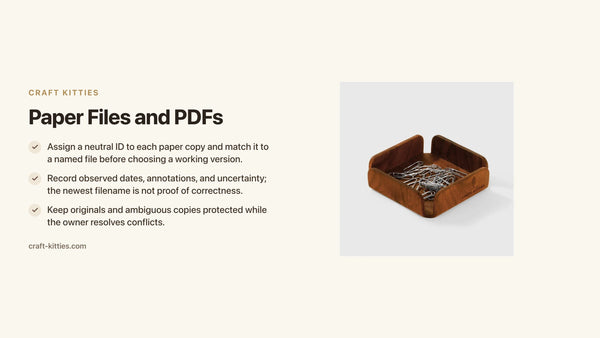
A small walnut tray is listed at 10 × 10 × 3 cm, but its size does not establish a thermal-storage rating. If used, keep the receipt protected in its sleeve and away from liquids, heat, and friction; do not call the tray archival. See the small tray listing or walnut coffee tray listing as desk objects only. For organizing a desk, use our decluttering guide or desk clutter solutions.
Avoid handling that makes a fragile receipt harder to read
Do not repeatedly unfold, smooth, or rub a receipt to improve the picture. Move it once onto the capture surface only if it stays intact, then return it to its existing sleeve or folder. Keep food, liquids, and direct heat away. The specific exposure risks described by Zebra do not establish a safe temperature or storage life for the paper in your hand.
If a fold obscures a critical line, do not press it flat under a heavy object. Capture what is visible, record what remains hidden, and ask the merchant or issuer for another copy if the detail is needed. If the paper is torn or the surface is flaking, stop before moving it further and seek preservation advice. A camera image cannot reconstruct characters that are already absent from the original.
Keeping the image and original linked also prevents a later reader from mistaking an incomplete capture for a complete record.
Use a naming rule that keeps the paper traceable
Give the physical receipt an enclosure ID and use that ID in the image filename, such as “R-014_capture_2026-11-01.” Do not include a card number or other sensitive data in the filename. Record the merchant or date only if it is visible and appropriate for the private index. Keep a note of the original’s storage location so the image can be matched later.
If the capture is incomplete, save it as a draft only if your file system makes that status clear; otherwise delete the failed image and recapture from the paper while it remains intact. Mark a clipped or unreadable field as unresolved. Do not retouch characters into the image or use OCR suggestions as if they came from the receipt itself.
The receipt and copy should travel through sorting together until the check is complete. This prevents a readable image from becoming detached from the paper whose condition and provenance it is meant to preserve.

Description
If you capture multiple receipts, complete the image check for one receipt before moving it to its finished enclosure. Keep unreadable or clipped images in an unresolved group and do not label them “complete.” The count of saved files should match the number of originals you intended to capture.
FAQs
Should I scan a thermal receipt as soon as possible?
If it is legible and can be handled safely, an early capture can preserve a readable reference. Verify the saved image and keep the original linked.
Can I use heat or alcohol to make faded print darker?
No. Do not apply heat, solvents, or other treatments to recover text. Ask the issuer for another copy if an important detail is missing.
Does a scan replace the paper receipt?
This article cannot establish that. Keep the original and follow the requirements of the organization or issuer that needs the record.
How long will a receipt remain readable?
No universal period is established. Paper, printer, storage, and exposure differ; Zebra’s or Epson’s guidance should not be applied as a lifespan guarantee for this receipt.