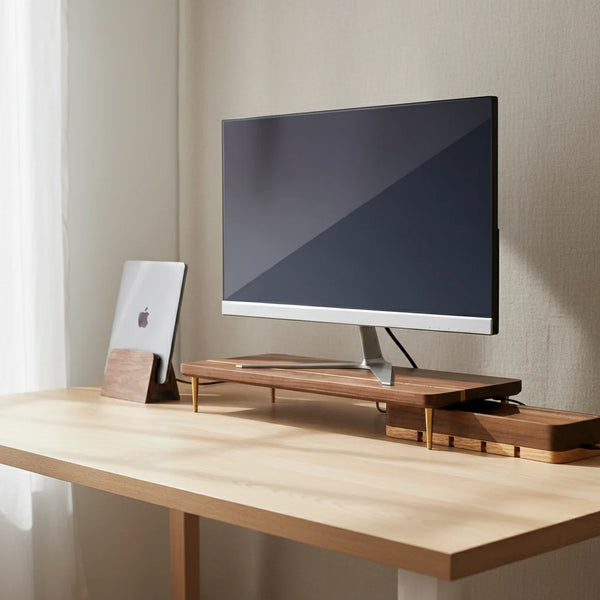
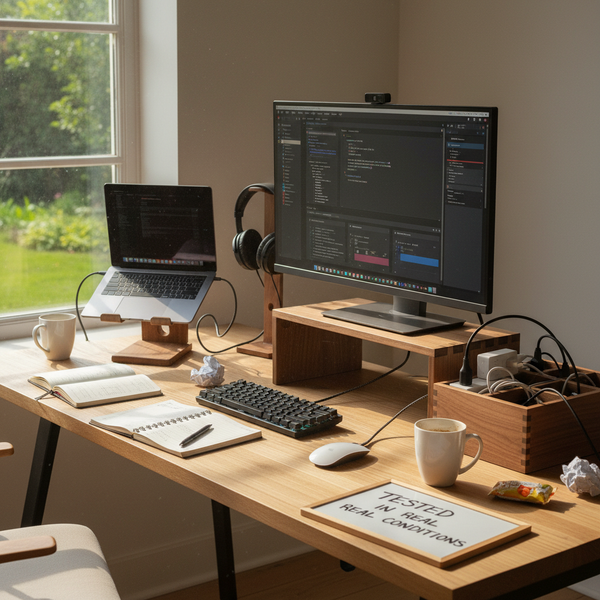
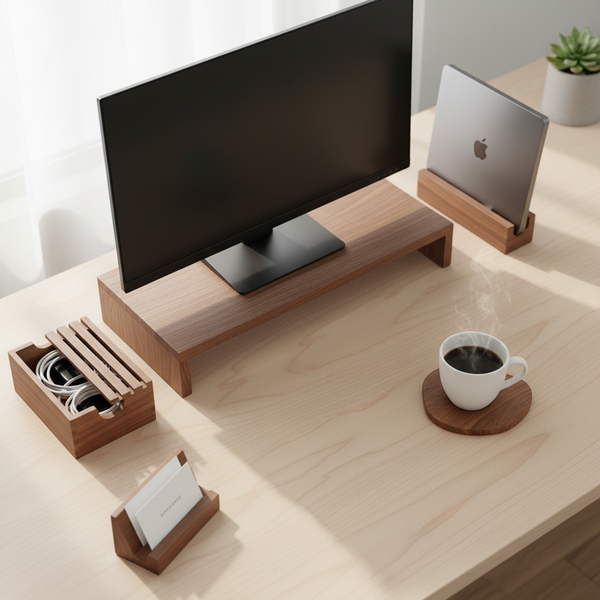
The monitor stand is the single most consequential accessory on a working desk. It corrects the screen-too-low problem most setups have without realizing it, it reclaims under-screen real estate for keyboards and notebooks, and — if you choose right — it places a piece of warm hardwood at the visual center of your workspace.
Plenty of monitor risers exist; very few are worth looking at after a year. Below are five we've ended up using and recommending — all solid hardwood, all minimalist in silhouette, all designed to disappear into a desk rather than dominate it. Whether you need a single-display stand, a wide dual stand, an adjustable-height option, or a paler wood for a brighter room — one of these will match.
If you're building a broader wooden desk setup, see our companion piece on the best wooden monitor stands of 2026 for the in-depth review, or the 5 best wood desk accessories overall for everything beyond the stand.
At a glance — comparison table
| Stand | Price | Wood | Best for | Dimensions |
|---|---|---|---|---|
| Walnut Splicing Monitor Stand | $89.00 | American walnut | Single 27" display, dark rooms | 50 × 22 × 6 cm |
| Red Oak Splicing Monitor Stand | $89.00 | North American red oak | Single 27" display, bright rooms | 50 × 22 × 6 cm |
| Walnut Dual Monitor Stand | $109.00 | American walnut | Two 24" displays side by side | 80 × 22 × 6 cm |
| Additional Riser Leg | $12.50 | Walnut | Adding 6 or 8 cm of height | 6 or 8 cm each |
| Vertical Laptop Stand | $67.00 | American walnut | Companion: clamshell setup | 10 × 10 × 12 cm |
What makes a wooden monitor riser worth buying
Three rules filter our recommendations.
Material first. Real hardwood — American black walnut, North American red oak, beech, ash. Not veneered MDF, not plywood with a hardwood-faced top. Solid wood ages by darkening and patinating; veneered pieces chip at the edges within a year.
Height that actually works. The single stands here are 6 cm — the sweet spot for most chair-desk combinations where the seated eye level should land about a third of the way down the screen. Too tall and you'll over-correct your neck; too short and the original screen-too-low problem remains.
Silhouette that disappears. A monitor stand sits at the visual center of the desk. Ornate carving, painted edges, visible brand badging — all of it becomes irritating within a month. Every stand below is a clean horizontal slab with the only visual interest being the wood grain itself.
1. Walnut Splicing Wood Monitor Stand — the universal choice
If you're buying one monitor riser without overthinking the question, this is the one. American black walnut, 50 × 22 × 6 cm, rated for a 27" display up to 12 kg. The splicing pattern across the top — six rectangular blocks of walnut with alternating grain orientation — gives the surface visual depth and hides micro-scratches better than a continuous grain.


Specs. 50 × 22 × 6 cm. Solid American black walnut. Around 1.6 kg. Supports 27" / up to 12 kg display load without measurable flex. Unfinished surface (no varnish), can be lightly oiled twice a year for patina.
Best for. A single 24"–27" display, a desk 120–180 cm wide, anyone whose neck stiffens by 4 PM. The 6 cm rise is the sweet spot for most seated postures.
Use case. Centered at the back of the desk. The space underneath holds a closed keyboard, a closed laptop, or a slim notebook — keeping the working surface clear.
Where it might be wrong for you. If your screen is already at ergonomic height (sit-stand desk, mounted arm), skip it. If your room is pale and warm, see the red oak version below.
2. Red Oak Splicing Wood Monitor Stand — for paler rooms
The identical silhouette in North American red oak. Same 50 × 22 × 6 cm dimensions, same 12 kg load rating, same splicing top. The difference is the species: red oak runs honey-pale with prominent grain rays, walnut runs dark chocolate-brown with finer grain.


Specs. 50 × 22 × 6 cm. Solid red oak. Same load rating as the walnut version. Slightly lighter (about 1.4 kg) due to red oak's lower density.
Best for. White walls, light oak floors, Scandinavian-style rooms where the dominant tone is already pale. Red oak picks up natural daylight and softly amplifies it — particularly effective in rooms with north-facing windows.
Walnut or oak — quick test. Hold a piece of each (or a paint sample of similar tone) against your wall. The species that contrasts more is usually the one to pick. Same-tone wood disappears into a pale room; opposing-tone wood becomes the visual anchor you wanted.
3. Walnut Dual Monitor Stand — for two displays side by side
If you run dual monitors, a single wide stand reads better than two separate stands. It gives the desk a continuous horizontal anchor instead of two parallel ones, and the visual quiet compounds.


Specs. 80 × 22 × 6 cm. Solid American walnut. Combined load rating about 18 kg (two 24" displays comfortably; one 32" central display also fits if your screen is mounted on a stand-base wider than 30 cm).
Best for. Developers, designers, traders, anyone managing multiple data streams. The central 20 cm gap accommodates a webcam mount or a small object (a paperweight, a coffee mug, an AirPods case).
Sizing note. Measure both monitors plus a 4 cm clearance margin before ordering. If your monitors are larger than 24" each (e.g., dual 27"), the 80 cm width won't fit — you'd need a custom-width stand.
Cable-management companion. The walnut USB cord organizer box parks below the central gap, hiding the dual-monitor cable nest that's usually the worst part of a dual setup.
4. Additional Monitor Riser Leg — fine-tune the height
A 6 cm rise is the sweet spot for most people, but not for everyone. Taller users need 8–12 cm. Standing-desk converts who alternate between sitting and standing need flexibility. The additional riser leg set is the cheap, modular way to dial in exact height without buying a different stand.


Specs. Each leg is a solid walnut block, either 6 cm or 8 cm tall, matched to the footprint of the monitor stand it slots under. Sold individually so you can pair four (one per corner) to your existing stand.
Best for. Users over 1.85 m / 6'1", anyone using a high office chair with a fixed-height desk, or anyone whose existing stand is 2 cm too short. Also useful for adding height under a walnut dual monitor stand if dual-monitor users need extra clearance.
Compatibility. Designed for our walnut and red oak splicing stands. The footprint of the leg matches the base of those stands precisely. If you're using a different brand's stand, measure the contact points before ordering.
5. Vertical Laptop Stand — the companion to clamshell setups
Not a monitor stand strictly speaking, but a critical companion for anyone running a clamshell setup (laptop closed, plugged into an external monitor). A vertical stand reclaims a meaningful chunk of desk space and moves the laptop into airflow rather than trapping it against the desk surface.


Specs. 10 × 10 × 12 cm footprint, slot width adjustable 1.0–1.7 cm via two captive thumbscrews. Single block of American walnut. Silicone strips inside the slot. About 950 g.
Best for. Every current MacBook (Air, Pro 14", Pro 16") and most modern ultrabooks. Particularly useful on small desks where the open-laptop footprint costs you 30 × 22 cm of horizontal space.
Use case. Park to the right of the monitor stand, slot the closed laptop in, plug in the dock cable. The one-handed dock motion is fast enough to use for every change of position — meetings, breaks, going to a different room. The silicone strips have prevented every aluminum-scuffing complaint we've heard.
How to choose — decision matrix
| If you have… | Pick |
|---|---|
| Single 24"–27" monitor, dark room | Walnut Splicing Stand |
| Single 24"–27" monitor, pale room | Red Oak Splicing Stand |
| Two 24" displays side by side | Walnut Dual Stand |
| Over 1.85 m tall or existing stand too short | Add riser legs (×4) |
| MacBook clamshell setup | Stand + vertical laptop stand |
| Cables visible behind monitors | Stand + cord box |
How high should a monitor stand be?
The ergonomic rule: when seated normally, the top of the monitor should be at or slightly below your eye level. For most people with a standard 73-75 cm desk, that means raising the monitor by 5-10 cm. The 6 cm rise of our standard stands hits the sweet spot for the majority of seated postures.
If you're over 1.85 m / 6'1", or you sit on a higher-than-average chair, add one or two pairs of riser legs (6 or 8 cm each). If you're under 1.65 m / 5'5", you may not need a stand at all — your seated eye level may already align with a standard-height monitor.
For standing-desk users: the height calibration changes. Re-test seated vs. standing eye level at your alternate position before assuming the same stand works for both.
Care — keep the wood looking right
Daily. Wipe with a barely-damp microfiber cloth, dry immediately.
Twice a year. Food-safe mineral oil or a beeswax conditioner. Apply with a lint-free cloth, sit ten minutes, buff off. Walnut darkens slightly each time. Red oak brightens.
Avoid. Silicone furniture sprays, citrus cleaners, vinegar, prolonged direct sunlight.
Repair scratches. Pencil eraser for surface scuffs. One drop of mineral oil rubbed in with a fingertip for shallow scratches. Damp cloth + warm iron for dents.
FAQ
Are wooden monitor stands sturdy enough for heavy monitors? The walnut and red oak single stands are rated for 27" displays up to 12 kg without measurable flex. The dual stand is rated for combined 18 kg. Both ratings include a generous safety margin — even a heavy ultrawide will sit comfortably.
How high should my monitor stand be? For most seated users at a 73-75 cm desk, 5-10 cm of rise puts the top of the screen at eye level. The 6 cm rise of our standard stands is the universal-fit choice. Add riser legs (6 or 8 cm each) if you need more.
Walnut or red oak — which lasts longer? Both last decades with normal care. Walnut is slightly denser and more dent-resistant. Red oak is slightly more porous and absorbs oil faster (so it patinates more visibly). Either way, you're not buying a one-year piece — you're buying a decade piece.
Can I use the dual stand with two different-sized monitors? Yes, as long as the combined width fits within 80 cm and the stand bases sit fully on the stand surface. Heights will be uneven if the monitors are different — many people prefer the larger display centered with the smaller one offset.
Will the wood warp over time? Solid hardwood acclimates to room humidity in the first few weeks and then stays stable. Avoid placing the stand directly over a heating vent or in a window where it alternately bakes and cools.
Are these real solid wood or veneer? All five pieces are solid hardwood — no veneer, no MDF core, no plywood substrate. Species is listed explicitly on every product page.
What's the difference between the splicing and dual stands? Splicing refers to the top pattern (six blocks of alternating grain). The single splicing stand is 50 cm wide; the dual stand is 80 cm wide. Both use the same splicing pattern, scaled appropriately.
Do they ship internationally? Yes, to most countries. Rates and lead times calculate at checkout. EU shoppers can use our French sister store craft-kitties.fr for faster delivery.
How do I clean a wooden monitor stand? Microfiber cloth, barely damp, dry immediately. Twice a year: a small amount of food-safe mineral oil rubbed in with a lint-free cloth. No silicone-based furniture sprays — they leave a film that blocks future oiling.
A monitor stand worth keeping
The five pieces above cover the common scenarios for monitor risers: single display, dual display, height adjustment, and clamshell-laptop companion — in both walnut and red oak. Pick the one that fits your monitor configuration and your room's tonality, and it'll outlast every other accessory on your desk.
For the deeper review of best wooden monitor stands in 2026, see our in-depth comparison piece. For the wider desk-accessories landscape, see 5 best wood desk accessories 2026.
Browse the wooden monitor stand collection for the full lineup, including future additions.