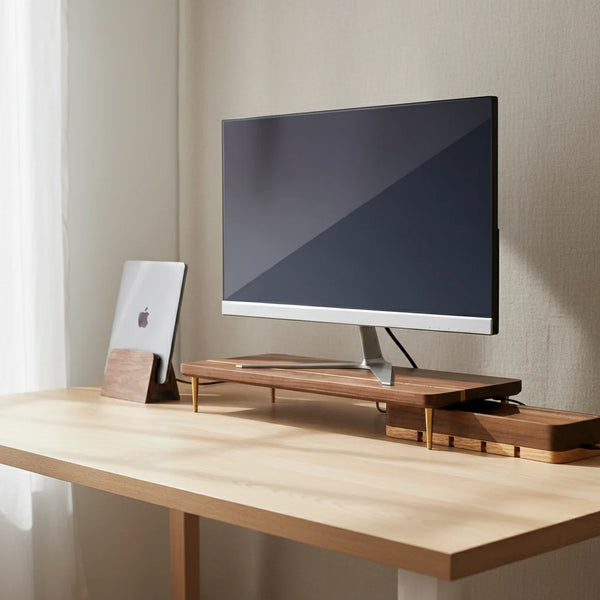
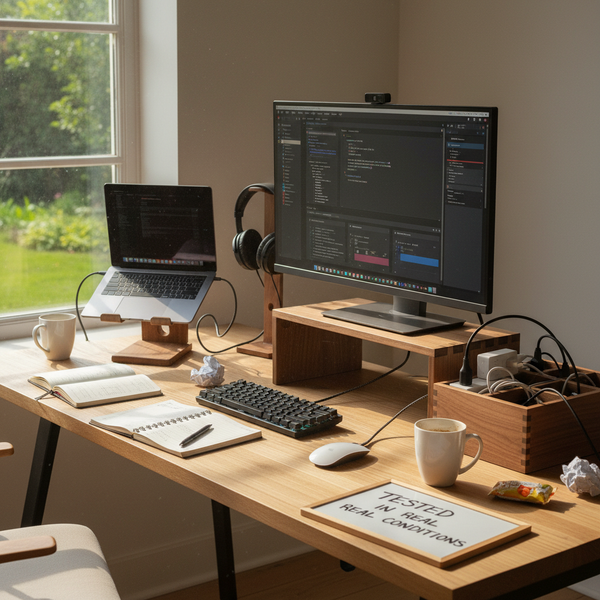
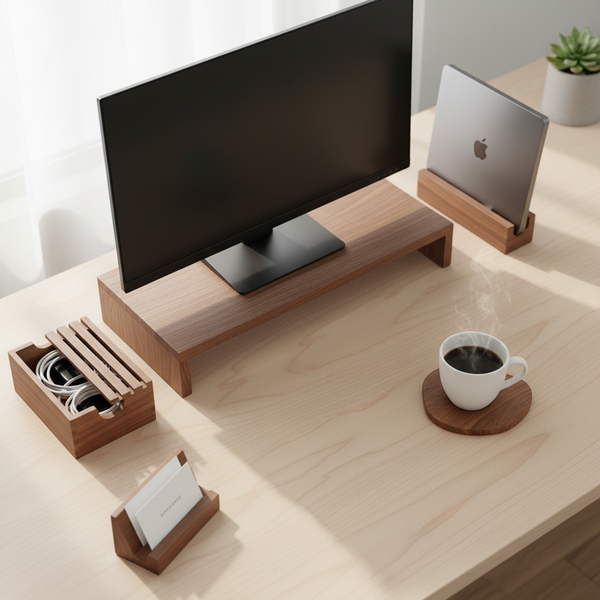
The most common ergonomic mistake at a desk is also the easiest to fix: a monitor that sits two to four inches too low. Most people work for years with a screen that asks their neck to lean forward eight hours a day, and they only notice when the soreness becomes constant. The fix is mechanical — a riser, a stand, or an arm — and the right height is a measurement, not a guess. This guide gives you the exact numbers in inches and centimeters, the math behind why they matter, and the wooden stands we make for getting a screen back to where it belongs.
This article is the deep-dive companion to our pillar guide on building an ergonomic desk setup. If you have not yet read that one, start there for the full picture; come back here for the precise screen-height numbers and the decision matrix for picking the right stand.
The short answer — top of the screen at eye level
The top edge of the monitor should sit at the height of your eyes when you are seated upright in your usual working posture. That is the single most important number in the whole conversation. Eye level, not the middle of the screen and not the bottom. The eyes naturally drop about 15 to 20 degrees when reading text, which means a screen whose top edge is at eye level places the body of the text in the natural reading zone with zero neck flexion.
In practical numbers, this usually means the top of the screen sits about 42 to 47 inches (107 to 119 cm) above the floor for an average-height seated adult, and the monitor stand needs to raise the display roughly 4 to 6 inches (10 to 15 cm) above where it would sit if placed flat on a 29.5-inch (75 cm) desk. For a tall user (6 ft +), the stand needs to add another 1 to 2 inches on top.
Why monitor height matters — the math of a forward head
The cervical spine carries the weight of the human head — roughly 10 to 12 pounds (4.5 to 5.4 kg) in neutral posture. When the screen sits below eye level and the head tilts forward to look at it, the effective load on the muscles between the shoulder blades multiplies. Research summarized by Cornell's Human Factors and Ergonomics Research Group and Kenneth Hansraj's widely cited 2014 paper in Surgical Technology International converge on a now-standard figure: at 15 degrees of forward neck flexion the effective load roughly doubles to 27 pounds; at 30 degrees it triples to 40 pounds; at 60 degrees — the angle of a laptop on a low desk — it climbs to 60 pounds.
Multiply that load by an eight-hour workday and you get cumulative cervical loading in the tens of thousands of pound-seconds. The pain you feel by Friday afternoon is the body's invoice for that math. Raising the screen to eye level removes the flexion, returns the head to neutral, and brings the load back down to the original 10 to 12 pounds. There is no posture exercise, lumbar pillow, or expensive chair that compensates for a screen positioned two inches too low.
The eye-level zone — degrees and reading angle
The eye-level zone is not a single point but a small window. Ergonomists at NIOSH and the American Optometric Association agree that the top of the screen should sit within roughly 15 degrees above and 15 degrees below the natural horizontal gaze. The reason: the human eye reads most comfortably with a slight downcast — about 15 degrees below horizontal — and reading anything above the horizontal line forces a sustained upward gaze that fatigues the upper eyelid and the small muscles around the eye. Place the top of the screen at horizontal eye level, and the bulk of the on-screen content falls naturally into the 0 to 30 degree downward reading arc, where the neck stays neutral and the eyes work in their lowest-effort range. A screen too high creates a forced upward look; a screen too low creates the forward head you just read about.
The 50-cm-to-70-cm viewing distance
Screen height does not exist in isolation. The other variable that decides whether the eye-level rule actually works is viewing distance — how far the screen sits from your eyes. The accepted ergonomic range is 20 to 28 inches (50 to 70 cm), measured from the eye to the surface of the screen. Within that range, a 24-inch monitor at eye level lets the entire panel sit within the comfortable visual field. Outside that range, two problems appear: too close, and the eye has to converge sharply and accommodate continuously, producing the dry-eye and headache cluster that ergonomists call computer vision syndrome; too far, and you lean forward to read text, which immediately undoes the screen-height work. If you find yourself leaning in, increase the font size before sliding the screen closer.
How to measure the right monitor stand height for your body
The exact height a monitor stand needs to add depends on three measurements: your seated eye height, the height of your desk, and the height of your monitor itself. Once you have these three numbers, the math is one subtraction.
Step 1 — measure your seated eye height
Sit at your desk in your normal working posture. Place a ruler vertically on the desk surface beside your face and have a partner mark the level of your eyes, or use a tape measure from the desk to the bottom of your eye socket. Write down the number in centimeters or inches. For most adults seated in a standard office chair, this comes out between 16 and 22 inches (40 to 56 cm) above the desk. A 5 ft 4 in (1.63 m) user might read 16 in (40 cm); a 6 ft (1.83 m) user typically reads 21 to 22 in (53 to 56 cm). This is the single most personal number in the whole calculation — your eye height does not change once you have set the chair correctly, so write it on a sticky note and keep it.
Step 2 — measure the height of your monitor
Measure your monitor from the bottom of the bezel where it meets the stand or VESA mount to the top edge of the display. For a 24-inch 16:9 monitor, this is usually about 12 to 13 inches (30 to 33 cm). For a 27-inch monitor, it is roughly 14 to 15 inches (35 to 38 cm); for a 32-inch ultrawide, about 16 inches (41 cm). This number tells you how much vertical space the screen occupies, and you will subtract it from your eye height to find out how high the bottom of the monitor needs to sit. If your monitor includes its own factory stand, also note how much height that stand adds (often 4 to 6 inches / 10 to 15 cm) — you may not need any additional riser at all.
Step 3 — calculate the stand height you need
The formula is simple: stand height = your seated eye height − the height of the monitor itself. Example: a 5 ft 8 in (1.73 m) user with a seated eye height of 18 inches (46 cm) and a 27-inch monitor that measures 14 inches (36 cm) tall needs a stand that places the bottom of the monitor at 18 − 14 = 4 inches (10 cm) above the desk surface. A stock factory monitor stand that adds 4 inches is exactly right; a flat surface with no stand requires a 4-inch riser. A 6 ft 2 in (1.88 m) user with seated eye height of 22 inches and the same 27-inch monitor needs the bottom of the monitor at 8 inches (20 cm) above the desk — meaning the factory stand alone is not enough, and a 4-inch wooden riser leg on top is exactly the addition the body is asking for.
Quick-reference height tables
The math above is the right way to get to a precise number for your body. For most readers, a lookup table is faster. The two below cover the common cases.
Table 1 — monitor stand height by user height (standard 29.5 in / 75 cm desk)
| Your height | Seated eye height (approx) | 24" monitor — stand needs | 27" monitor — stand needs |
|---|---|---|---|
| 5 ft 2 in (1.57 m) | 15 in (38 cm) | 2–3 in (5–8 cm) | 0–1 in (0–3 cm) |
| 5 ft 6 in (1.68 m) | 17 in (43 cm) | 4 in (10 cm) | 2–3 in (5–8 cm) |
| 5 ft 10 in (1.78 m) | 19 in (48 cm) | 6 in (15 cm) | 4–5 in (10–13 cm) |
| 6 ft 0 in (1.83 m) | 20 in (51 cm) | 7 in (18 cm) | 5–6 in (13–15 cm) |
| 6 ft 3 in (1.91 m) | 22 in (56 cm) | 9 in (23 cm) | 7–8 in (18–20 cm) |
Notes: the table assumes a standard 29.5 in / 75 cm desk and a chair adjusted so the feet are flat on the floor. The seated-eye-height column is an average — measure yours for the precise figure. Most factory monitor stands add 4 to 6 inches; if the table calls for less than 4 inches, the factory stand alone is enough.
Table 2 — stand height by viewing distance
| Viewing distance | Comfortable screen size | Eye-level reference |
|---|---|---|
| 20 in (50 cm) — close | 22–24 in monitor | Top edge precisely at eye level |
| 24 in (60 cm) — neutral | 24–27 in monitor | Top edge 0–1 in below eye level |
| 28 in (70 cm) — far | 27–32 in monitor | Top edge can sit at eye level or slightly above |
The farther the screen, the more forgiving the height becomes — the natural gaze drop covers a wider arc at distance. The closer the screen, the more critical the exact eye-level alignment.
The five wooden stands and risers worth considering
These are the five pieces from our desk accessories collection that solve the screen-height problem, ordered from "external monitor sits 4 inches too low" (the most common case) to "tall user needs an extra 1 to 2 inches" (the edge case). All five are solid walnut, hand-finished, and shipped with a small care card.


Decision matrix — which stand to buy first
You rarely need every accessory at once. Buy the one that solves the height problem you actually have.
| If you have… | Buy first | Why |
|---|---|---|
| External 24–32 in monitor on factory stand, screen 2–3 in short of eye level | Walnut Splicing-Wood Monitor Stand | Adds the 6 cm most setups are missing |
| Tall frame (6 ft +) and the splicing-wood stand still leaves the screen 1–2 in short | Additional Riser Leg | + 4 cm under the existing stand, $12.50 |
| Laptop as your only screen | Vertical Laptop Stand + external keyboard + monitor | Cannot fix laptop height alone; need a second eye-level screen |
| Monitor raised but cables now visible behind it | Cord Organizer Box | Hides what raising the screen exposes |
| Want to reclaim shelf space under the monitor stand | Walnut Desk Tray | Turns the vertical lift into a second usable surface |
If you want a tighter five-piece round-up of the wooden stands themselves before deciding, read our companion piece on the 5 best minimalist wood monitor stands and risers and the longer-form review of the best wooden monitor stands and risers in 2026.
Fixed stand, articulating arm, or riser leg — which type for which case
The wood stands above are the answer for the most common scenario — a single external monitor sitting at desk-corner depth, where eye-level requires 4 to 6 inches of additional lift. There are two other categories worth knowing.
Articulating monitor arms
An articulating arm — a clamp at the back of the desk with a multi-jointed metal arm holding the monitor — gives continuous height adjustment over a wide range and frees the entire footprint of the desk underneath. It is the right answer when you switch between sitting and standing, share the desk with someone of a different height, or use a sit-stand desk. The downsides: a quality arm costs $150 to $400, requires assembly and a desk clamp that may not fit every desk edge, and adds visual weight that a clean wooden riser does not. For a fixed-height seated workstation, a wood stand wins on both cost and aesthetics.
Riser legs for tall users
A riser leg — essentially a 4 cm wooden block placed under an existing stand — is the cheapest way to add a final inch or two of height. It works particularly well for tall users whose factory monitor stand is fixed at 4 to 5 inches and still leaves them looking slightly down. A pair of riser legs under the four corners of an existing stand can add 4 cm of even, stable height for less than $30. If your eye-level math calls for more than 8 inches of total lift, the riser-leg-on-stand approach starts to feel precarious; switch to an articulating arm at that point.
Common monitor-height mistakes that quietly cost you a Friday afternoon
Even a well-set monitor drifts out of position over weeks. These four checks take ten seconds each and prevent most of the regression.
The screen sits at chin level, not eye level. This is the single most common error after raising a monitor for the first time: people overshoot, the screen ends up at chin level, and they now have to lift the chin to look at the top edge. Use the eye-level rule, not "as high as it goes." If the top of the screen is well above your eyes, the stand is too tall.
The monitor migrated to the side over months. A second monitor placed off to the side, used for chat or a calendar, gradually becomes the screen you spend the most time on. The neck rotates 20 to 30 degrees all day to look at it. Re-center the primary screen monthly, and put the second one immediately adjacent at a slight angle — not 18 inches to the side with a gap.
The chair height drifted, not the monitor. If someone else uses your chair — a partner, a kid — they will lower the seat. The next morning, your screen looks too high. Re-set the seat height first thing every day, before assuming the monitor is wrong.
A laptop sneaked back onto the desk surface as a second screen. Once you have a monitor at eye level, the temptation to set the laptop open beside it (clamshell defeated) returns. Resist. Close the laptop, put it on a vertical stand, and live with the single eye-level screen. The second open laptop is the largest single regression cause.
FAQ — monitor stand height
1 — How high should a monitor stand be exactly? The top edge of the screen should sit at the height of your eyes when you are seated upright. For most setups, that means the monitor stand needs to add 4 to 6 inches (10 to 15 cm) of height to a screen sitting on a 29.5-inch (75 cm) desk. Use the formula: stand height = your seated eye height − the height of your monitor.
2 — Should the top of the monitor be at eye level or the center? The top edge, not the center. The eyes naturally drop about 15 degrees when reading, which puts the body of the screen in the comfortable downward gaze zone. If you align the center to eye level instead, the top edge sits well above your eyes and you have to look up at headers, navigation bars, and menus all day.
3 — How tall should a monitor riser be for a 27-inch monitor? For an average-height adult (5 ft 8 in to 5 ft 10 in) using a 27-inch monitor on a 29.5-inch desk, a riser that adds 3 to 5 inches of height typically lands the top edge at eye level. Most factory monitor stands already provide 4 to 6 inches of height; if yours does, you may not need an additional riser. Measure your seated eye height first.
4 — Is it bad if my monitor is too high? Yes, though less common than too low. A monitor whose top edge sits more than 1 to 2 inches above your eye level forces a sustained upward gaze that fatigues the upper eyelid and the small muscles around the eye. It can also cause the dry-eye cluster called computer vision syndrome because the upward gaze widens the palpebral aperture and increases tear evaporation. Aim for top-edge-at-eye-level, no higher.
5 — How far should the monitor be from my eyes? Roughly an arm's length — 20 to 28 inches (50 to 70 cm) measured from your eyes to the surface of the screen. Within that range, monitor height matters most precisely; outside it, you have other problems. If you find yourself leaning forward to read text, increase the font size before sliding the screen closer.
6 — How do I raise my monitor without buying a stand? A stack of hardcover books, an upside-down baking dish, or a wooden box can all work as a temporary riser. Make sure the surface is wide enough to support the full base of the monitor — a stand that supports only the back two feet will tip forward if the screen is bumped. The temporary fix is a perfectly valid starting point; the wood stand is the permanent answer when you confirm that a higher monitor stops your end-of-day neck stiffness.
7 — What is the ergonomic height for a 24-inch monitor versus a 27-inch? The body of the screen is taller on a 27-inch monitor, so the bottom of the screen needs to sit lower for the top to land at eye level. Practically, this means a 27-inch monitor often needs less stand height than a 24-inch monitor for the same user. A 5 ft 8 in user typically needs about 4 inches of stand for a 24-inch monitor and about 2 to 3 inches for a 27-inch monitor on the same desk.
8 — Can I use a monitor stand on a sit-stand desk? You can, and you should — the eye-level rule applies in both seated and standing modes. A fixed monitor stand keeps the screen the same height relative to the desk surface, which means once you set the desk height correctly for each posture, the monitor stays correct too. If you switch postures frequently and the stand height stops being right for one of them, an articulating arm is the better solution.
9 — Does a monitor stand have to be wood? No — metal, plastic, and glass stands all work mechanically. We make ours in walnut because the material adds visual warmth, acoustic damping (less keyboard echo bouncing off a hard surface), and pairs with a wood desk. The ergonomic benefit comes from the geometry — the height the stand provides — not from the material. Pick what looks right in your space.
10 — How do I check if my monitor is at the right height in five seconds? Sit upright in your normal working posture, close your eyes, and let your head settle into its natural balanced position. Open your eyes and look straight ahead, without lifting or lowering your chin. If your eyes land on the top edge of the screen — within an inch up or down — the height is right. If they land on the center of the screen or below, the monitor needs to come up. If they land above the top edge, the monitor needs to come down.
11 — How often should I re-check the monitor height? Monthly is enough for a stable workstation. Quarterly is fine if you rarely share the desk and the chair stays at one height. Re-check immediately after any of three events: someone else used your chair, you bought a new monitor, or you changed chairs. Each of these resets the entire height stack and a thirty-second check restores it.
Read next — the full ergonomic desk series
Now that the screen-height question is settled, the rest of the desk is the work of an afternoon. The pillar guide on building an ergonomic desk setup walks through chair, keyboard plane, lighting, and cable routing in the order they should be applied. For two related deep dives:
- 5 beautiful and minimalist wood monitor stands and risers — a tighter five-piece round-up of the stands themselves
- Home office setup ideas that actually work — full-room layouts for small apartments, dedicated offices, and shared spaces
When you are ready, browse the full desk accessories collection for the pieces in this guide, or start with the walnut splicing-wood monitor stand — the single highest-return item for getting an external display to eye level.
Closing — measure once, raise once, work without pain
Monitor height is a five-minute decision that pays back over years. Measure your seated eye height once, measure your monitor once, subtract, and pick a stand that adds the difference. The body stops reminding you about the screen by the end of the first week, and the cumulative load on the cervical spine drops back to its natural ten to twelve pounds. There is no chair, no exercise, no posture cue that fixes a monitor placed two inches too low — only the right stand at the right height does.