How Monitor Stands Keep You Healthy — The 2026 Whole-Body Field Guide
A monitor stand looks like a small accessory. Functionally it is one of the highest-leverage health interventions you can make in a screen-based workday. By lifting the top of a display to eye level, it cascades into every system the body uses to sit upright for eight hours: the cervical spine, the thoracic spine, the shoulder girdle, the eye, the diaphragm, the venous return from the legs. None of these systems were designed to spend a third of the waking day looking down at a glass rectangle. A monitor stand removes the single mechanical input that pulls all of them out of neutral.
Most articles on this topic stop at the neck. The neck is the headline, but it is not the full story. A screen six inches too low forces a forward head, which forces the shoulders forward, which compresses the rib cage, which shallows the breath, which reduces oxygen delivery to the muscles that are already working harder than they should be. Add eight hours of seated immobility on top, and the cardiovascular cost climbs alongside the musculoskeletal one. The good news is that the fix is mechanical and cheap: get the screen up, get the chair right, get the body back into a posture that the body actually evolved to hold.
This guide is part of our 2026 desk-setup cluster, anchored by the pillar article on ergonomic desk setup. It covers the full health case for monitor stands — neck and back, eyes, breathing, circulation, headaches, mood and energy — followed by the five walnut accessories that operationalize the fix, a comparison table, a decision matrix, a one-hour setup routine, the four mistakes that quietly undo a healthy desk, and an FAQ built from the questions readers ask most. By the end, you will have a clear picture of why a $89 piece of walnut is a serious health purchase, not a decorative one.
What a monitor stand actually does for your health
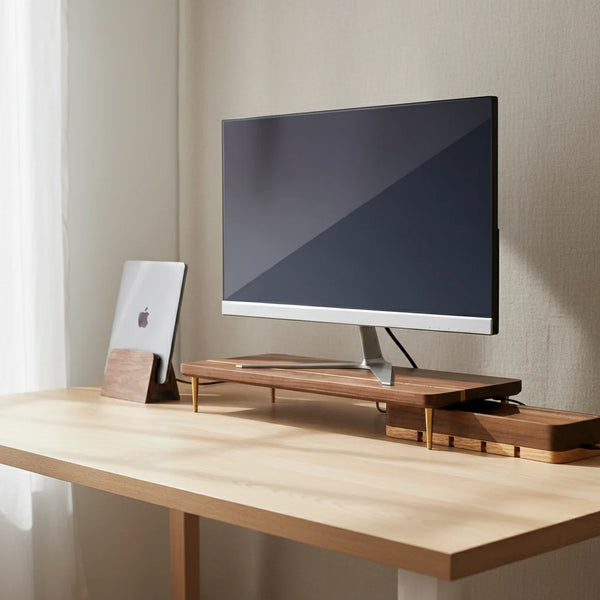
A monitor stand lifts the top edge of a display to the height of the user's eyes when seated upright. The number itself sounds trivial — 6 cm of height for a standard external monitor, 10 cm for a tall user with an additional riser leg — but the postural cascade that follows is anything but trivial. With the top of the screen at eye level, the gaze sits within the upper third of the visual field where the body holds it naturally with the head balanced over the spine. Below that line, the eye has to drop, the chin has to follow, and the cervical spine flexes forward. Every degree of forward flexion adds load to muscles that are not built to carry it for eight hours.
Once the screen is up, four downstream things happen automatically. The neck returns to neutral, which reduces the load on the suboccipital and upper trapezius muscles. The shoulders drop, which opens the chest and frees the diaphragm. The thoracic spine stops slouching forward, which restores the natural S-curve of the back and takes pressure off the lumbar discs. And the eyes, looking slightly downward at the natural reading angle (about 10 to 20 degrees below horizontal), sit in the position where the lid covers more of the cornea, which slows tear evaporation and reduces dry-eye irritation. A single piece of walnut, placed under a screen, triggers four separate health gains the body would otherwise have to fight for.
Health benefit 1 — neck and cervical spine relief
The cervical spine carries an adult head that weighs about 10 to 12 pounds (4.5 to 5.5 kg) when balanced upright. The math degrades quickly once the head tilts forward. Research compiled by Dr. Kenneth Hansraj and still widely cited in 2026 ergonomic literature put the cervical load at a 15-degree tilt at about 27 pounds, at 30 degrees at about 40 pounds, and at 60 degrees — the classic posture of looking at a phone in the lap — at about 60 pounds. A screen four inches below eye level produces roughly a 20-degree downward gaze and an equivalent neck flexion across the workday.
Raising the screen returns the head to neutral and drops the cervical load back toward the 10 to 12 pound baseline. The change is not gradual. Most people notice the difference in the suboccipital muscles — the small muscles at the base of the skull that hold the head against forward drift — by the end of the first day with a properly placed monitor. Tension headaches that pattern from the back of the skull around to the temples often soften within a week. None of this is a substitute for medical care if pain is already chronic, but it removes the mechanical input that keeps re-triggering the cycle.
Health benefit 2 — upper back, shoulders, and thoracic spine
The neck rarely fails alone. A forward head pulls the shoulders forward and rounds the thoracic spine, the section of the back between the shoulder blades. This is the posture that produces the long, low-grade burning between the shoulder blades that screen workers describe by Thursday afternoon. The rhomboid and middle trapezius muscles are firing continuously to hold the shoulders back against the forward pull; over a week, they fatigue and the burning sets in.
Lifting the screen reverses the cascade. The head goes back over the spine, the shoulders fall back, the chest opens, and the rhomboids stop firing as hard. The thoracic spine recovers its natural slight kyphosis (the gentle outward curve), which restores the spring it was designed to have when the body sits upright. The downstream effect is that the lumbar spine also relaxes, because a forward thoracic slump always drags the lower back into compensation. Raising the monitor solves a back problem that is actually a head problem that is actually a screen-height problem.
Health benefit 3 — eye strain, dry eye, and visual fatigue
A screen below eye level forces the user to look downward at a steeper angle than the eye prefers for sustained work. The eye is happiest when the gaze is roughly 10 to 20 degrees below horizontal, which is the natural reading angle that the lid partially covers the cornea. When the screen is too low, the gaze drops further, but the lid lifts to keep the screen in view — exposing more of the cornea to room air, which accelerates tear evaporation and produces the dry, gritty, end-of-day feeling that millions of office workers know.
Raising the screen with a monitor stand brings the gaze back into the natural reading angle. The lid relaxes back to its normal position, tear film stabilizes, and the eye stops drying out as quickly. Combined with the classic 20-20-20 rule — every 20 minutes, look at something 20 feet away for 20 seconds — a properly placed screen typically reduces end-of-day eye fatigue noticeably within the first week. For users in air-conditioned offices, where ambient humidity is already low, the effect is even larger.
Health benefit 4 — breathing, circulation, and energy
Posture and breath are tied. When the shoulders round forward, the rib cage compresses, the diaphragm has less room to descend, and the breath becomes shallow and clavicular — the kind of upper-chest breathing that the body uses for short bursts of stress, not for sustained calm work. Shallow breathing reduces oxygen delivery to the working muscles, including the ones that are already overloaded by a forward head, which compounds the fatigue. By the end of the day, the body has spent eight hours running on a tank that was never quite full.
Raising the screen restores the upright thoracic posture that gives the diaphragm room to work. Breath deepens, oxygen delivery improves, and the muscles supporting posture get the fuel they need. The same cascade benefits venous return from the legs — an open hip angle (which only an upright trunk allows) reduces the lower-back compression that slows blood flow back from the lower body across a long sitting session. None of this turns a desk job into a cardio workout, but it removes the postural drag that quietly taxes circulation across thousands of hours of seated work.
Health benefit 5 — headaches, mood, and end-of-day energy
The cumulative effect of a screen at the wrong height is rarely a sharp acute pain. It is a slow tax on energy. The body running below capacity for eight hours produces the late-afternoon dip that many knowledge workers describe — the dull headache by 4 pm, the foggy concentration by 5, the unwillingness to do anything physical after work because the body already feels worked. Some of this is the cognitive load of the work itself, but a meaningful share is postural fatigue dressed up as mental fatigue.
When the screen is at the right height, the postural tax drops, the muscles supporting upright sitting use less energy, breathing is fuller, and the body arrives at 5 pm with more left in the tank. Multiplied across a week, this is the difference between collapsing on the couch on Friday evening and going for a walk. None of these effects show up in a single day of measurement, but every one of them is real and the cumulative wellbeing dividend is one of the most underrated benefits of a properly set up desk.
The 5 walnut accessories that operationalize a healthy desk
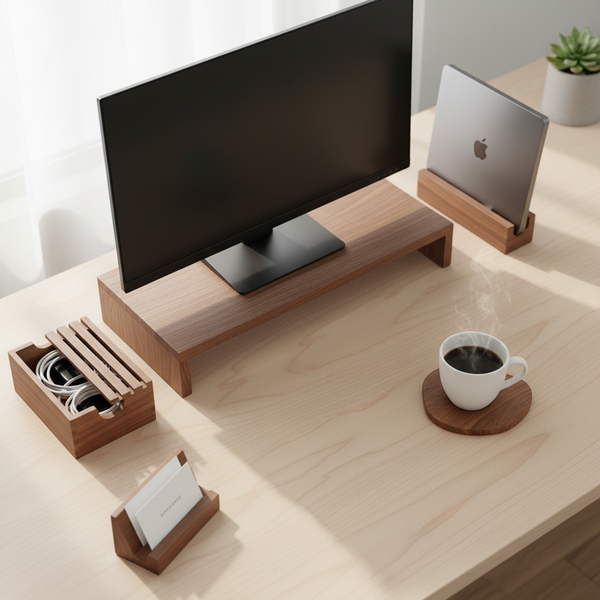
These five items were selected from our desk accessories collection because each one removes one of the mechanical inputs that quietly degrade the postural and visual health of a screen workday. Solid walnut, restrained design, and a clear job each — no gadget creep, no plastic gimmicks.


Comparison table — which health gain does each accessory deliver
| Accessory | Price | Primary health gain | Secondary gain | Best for |
|---|---|---|---|---|
| Walnut Monitor Stand | $89.00 | Neck and cervical spine | Shoulders, breathing, eyes | External 24–32 in display |
| Additional Riser Leg | $12.50 | Neck alignment for tall users | Eye angle calibration | 6 ft + frame |
| Vertical Laptop Stand | Eye fatigue from dual screens | Neck (no looking down at laptop) | MacBook + external monitor | |
| Cord Organizer Box | Wrist alignment over time | Reduced surface dust | Power strip + USB hub | |
| Desk Organizer | Shoulder reach reduction | Cognitive declutter | Any desk under 140 cm wide |
Decision matrix — start where your body is loudest
You do not need all five accessories on day one. Buy in the order the body is complaining.
| If you have… | Buy first |
|---|---|
| Neck stiffness or headaches by 3 pm | Walnut Monitor Stand |
| Burning between the shoulder blades on Thursday | Walnut Monitor Stand (same fix — open the chest) |
| Dry, gritty eyes in air-conditioned office | Walnut Monitor Stand + the 20-20-20 rule |
| A laptop as your only screen | Vertical Laptop Stand + external keyboard |
| Tall frame (6 ft +) and stand still too low | Additional Riser Leg |
| Cables snaking across the desk | Cord Organizer Box |
| Mouse and keyboard drift over time | Desk Organizer |
A one-hour healthy-desk setup routine
Set a timer for sixty minutes and go through these steps in order. Do not skip ahead — each step's outcome is the input to the next.
1 — Empty the desk (5 min). Clear everything off the work surface and onto a chair or the floor. Wipe the surface. Working from a blank desk is the only way to see what you actually use versus what just lives there.
2 — Place the chair (5 min). Sit. Adjust the seat height until your feet rest flat on the floor and your thighs sit parallel to the ground. Add a lumbar pillow or rolled towel at the small of your back if the chair does not support the natural curve.
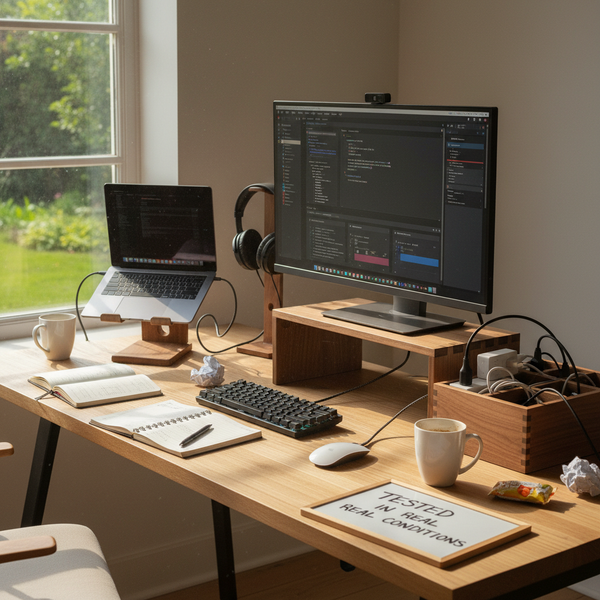
3 — Place the monitor (10 min). Set the screen at arm's length (50–70 cm / 20–28 in from your eyes). The top edge should be at eye level. Put the screen on a walnut monitor stand — and if you are tall (6 ft +) and the screen is still too low, add an additional riser leg for the extra 4 cm. Tilt the screen back about 10–20 degrees so the bottom edge sits slightly closer than the top.
4 — Place the laptop, if you have one (10 min). If you have an external monitor, run the laptop closed (clamshell) in a vertical laptop stand. The goal is one screen at eye level, not two screens at two different heights.
5 — Place keyboard and mouse (10 min). They go directly in front of you, on the same plane, with the mouse as close to the keyboard as your hand size allows. Elbows at roughly 90 degrees, wrists straight. The shoulder should never reach for the mouse.
6 — Route the cables (15 min). Bring power and USB cables to the back edge of the desk. Drop the excess length and the power strip into a cord organizer box. Only the cables you plug and unplug daily should reach the work surface.
7 — Final pass (5 min). Put back only what you use every day — notebook, pen, water bottle, one organizer tray. Everything else stays in a drawer. Sit, type for two minutes, and notice what feels wrong. Adjust.
Four mistakes that quietly undo a healthy monitor setup
Even a well-placed monitor stand stops paying off if any of these four mistakes creep in over time. Check them once a month.
Laptop laid flat on the desk next to the elevated monitor. Every time the eye drops to the laptop screen, the neck flexes. Either close the laptop and put it on a vertical stand, or accept that the second screen is undoing the first one's health benefit.
Monitor too close after a font upgrade. When font sizes increase, users often pull the monitor closer rather than enlarge the system display scaling. A screen at 35 cm from the eyes increases accommodation strain. Keep the screen at arm's length and adjust scaling instead.
Screen tilted too far back so glare from overhead light hits the eye. A useful 10–20 degree backward tilt becomes a problem when overhead lighting reflects off the upper glass surface. Look at the screen with the room lights on — if you see any bulb reflected, tilt down by 5 degrees.
Forgotten posture audit after months of use. Slow drift is invisible day-to-day. Once a month, sit at the desk and notice: head still over the spine, shoulders still relaxed, mouse still near the keyboard? Adjust whatever has slipped. Five minutes a month protects the entire setup.
FAQ — monitor stands and your health
1 — Are monitor stands actually good for your health? Yes. A monitor stand removes one of the most common mechanical inputs that degrade posture during a screen workday — the screen being too low, which forces the neck forward, the shoulders rounded, and the chest compressed. The cascade affects neck, back, eyes, breathing, and circulation. A $89 walnut monitor stand is one of the highest-leverage health purchases you can make for an eight-hour desk job.
2 — What are the health benefits of using a monitor stand? Five main ones, in order of impact: reduced cervical spine load (less neck pain and tension headaches), reduced upper-back and shoulder muscle fatigue, less eye strain and dry eye, deeper breathing through an open chest, and reduced postural fatigue that compounds across the workday into lower end-of-day energy.
3 — How low is too low for a monitor? Any screen position that forces a downward gaze of more than about 20 degrees from horizontal is too low for sustained work. In practice that means a 24 to 27 in monitor sitting directly on a 75 cm desk is too low for almost everyone. A walnut monitor stand adds 6 cm of height and a riser leg adds another 4 cm for tall users — together they cover almost all body heights.
4 — Can a monitor stand help with neck pain? Yes, when the pain is mechanical and posture-driven (which most office neck pain is). By raising the screen to eye level, the stand removes the forward head posture that loads the cervical spine. Most people notice the difference within the first day, with steadier improvement over the first week. Chronic or radiating pain should still be evaluated by a clinician.
5 — Does a monitor stand help with eye strain? Yes, indirectly. A screen at eye level lets the gaze drop into the natural 10–20 degree reading angle, which keeps the lid partially over the cornea and slows tear evaporation. Combined with regular breaks and proper ambient lighting, the gain in end-of-day eye comfort is significant.
6 — Are wooden monitor stands as healthy as metal ones? The health benefit comes from the geometry (the lift), not the material. That said, solid walnut has three small advantages: it is dimensionally stable under load (no bowing), it damps keyboard vibration and noise, and its warm visual quietness does not create a competing focal point for the eye. Read more in the pillar guide on ergonomic desk setup.
7 — How long should I sit at a desk per day without risks? The risk scales with continuous time, not total time. Most ergonomics guidelines recommend standing or walking for two minutes every 45–60 minutes, plus the 20-20-20 rule for the eyes (every 20 minutes, look at something 20 feet away for 20 seconds). A monitor stand removes the postural cost of the sitting hours, but does not eliminate the need for movement breaks.
8 — Is a monitor arm better than a monitor stand for health? A monitor arm allows finer height and depth adjustment, which is useful for shared desks or sit-stand setups. For a fixed personal desk, a wood stand at the right height is just as healthy and looks better. The choice depends on whether the screen needs to move during the workday — if not, a stand wins on aesthetics and price.
9 — Will a monitor stand fix my back pain? A monitor stand fixes the upstream cause of much office back pain — the forward head and rounded shoulders that drag the thoracic and lumbar spine out of neutral. It will not fix back pain that has other causes (a herniated disc, an old injury, a non-ergonomic mattress). It is necessary but not always sufficient.
10 — How does monitor height affect my mood and energy? Posture and energy are linked. A compressed chest produces shallow breathing, which reduces oxygen delivery, which compounds postural fatigue, which arrives at the end of the day looking like mental fatigue. Raising the screen reverses the cascade. The effect is small per hour and significant over a week.
11 — How long do solid walnut accessories last? Indefinitely if kept dry and oiled once or twice a year. The walnut pieces in our desk accessories collection are oiled at our studio before shipping and ship with a small care card. There is no expected end-of-life — a properly maintained walnut stand outlasts the monitor sitting on top of it.
Going further — three companion guides in this cluster
- The pillar: ergonomic desk setup — the 2026 complete guide
- A specific angle: are monitor stands good for posture?
- The mechanics: how does a wood monitor stand prevent text neck?
- The height question: how high should a monitor stand be?
In the meantime, browse the desk accessories collection for the five pieces referenced above, or start with the keystone — the walnut splicing-wood monitor stand — which delivers most of the health gains in a single purchase.
Closing — the most underrated health purchase on your desk
A monitor stand is the kind of accessory that quietly earns back its price every week for years. The neck stops complaining, the shoulders stop carrying tension that never belonged to them, the eyes stay comfortable later into the afternoon, breathing deepens, and the late-day fatigue that everyone takes for granted becomes a little easier to push through. None of these effects is dramatic on day one. All of them add up to a week, a month, a year that costs the body less.
If you are starting from a bare desk, start with the walnut splicing-wood monitor stand. It carries most of the health benefit on its own. Add the rest of the kit when the budget allows. The body will tell you when each piece is the next priority — usually by the end of the week you raised the screen.